
TopsPay Credit, Debit and ACH Decline Codes
When TopsPay charges fail, visit the TopsPay portal to find out why. Below are steps to locate each declined payment, whether a credit, debit or ACH payment and how to view the decline reason or code. Keep scrolling for a list of common codes to help with understanding the "why" behind a decline!
Credit and Debit Card Failed Charge
-
Go to Reports > TopsPay portal.
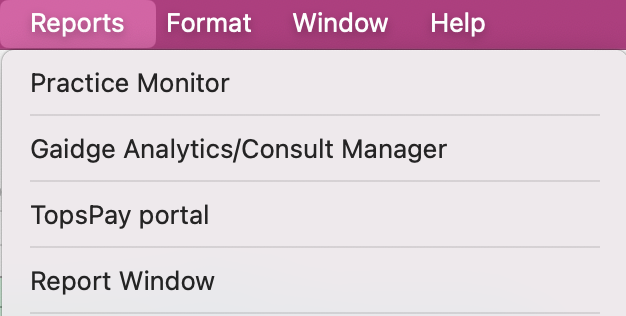
- Enter your Tops Ortho password. You may need to do so twice. If you cannot access the TopsPay portal, check Tops Ortho > Practice Setup > Single Sign-on > TopsPay portal to see who has access.
-
Click Payments, then the Failed Attempts tab.

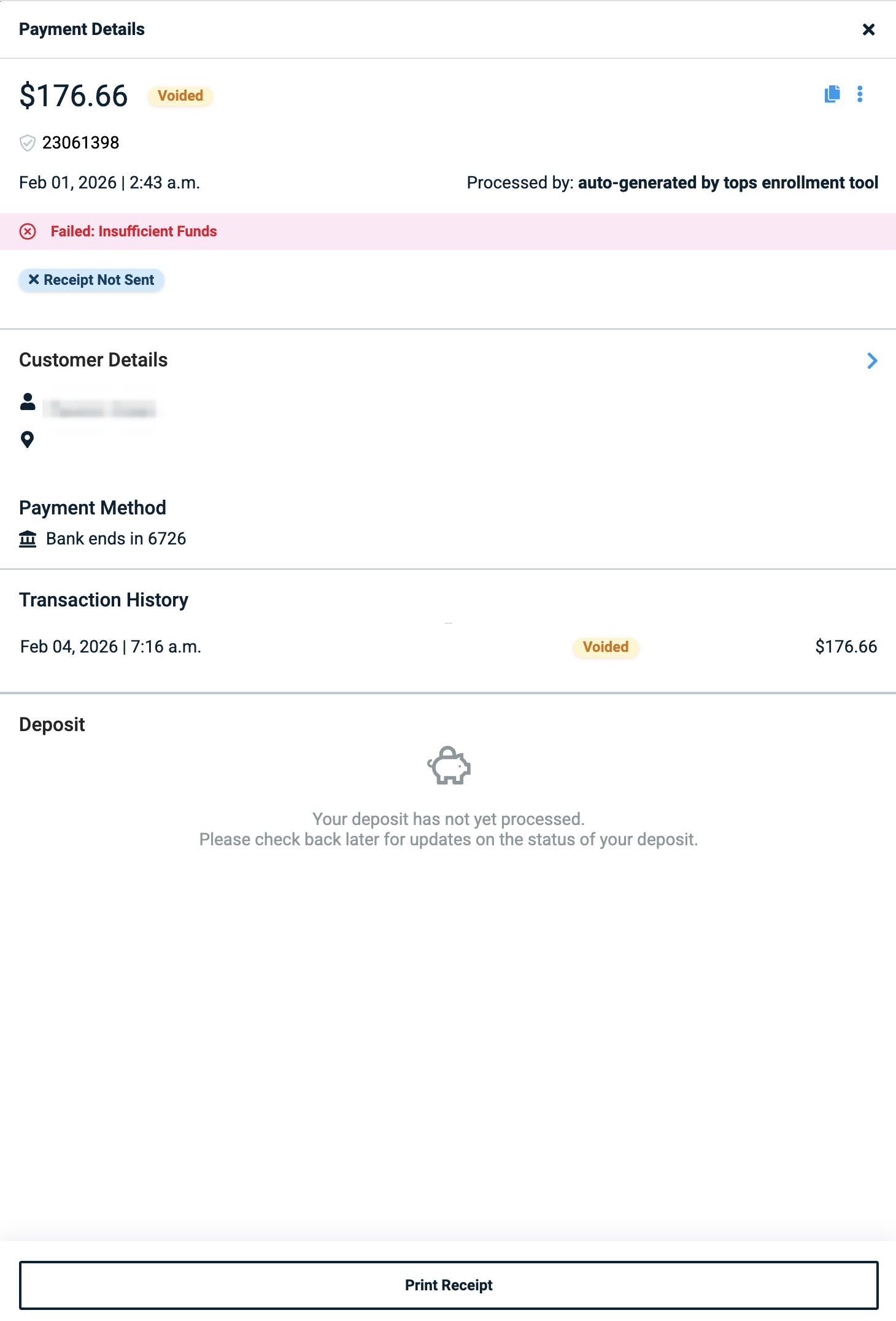
- Click on each failed attempt; the reason for the failure will display in red.


ACH Failed Payments - Voided Payments
-
Go to Reports > TopsPay portal.
- Enter your Tops Ortho password. You may need to do so twice. If you cannot access the TopsPay portal, check Tops Ortho > Practice Setup > Single Sign-on > TopsPay portal to see who has access.
-
Click Payments, then stay on the All tab.
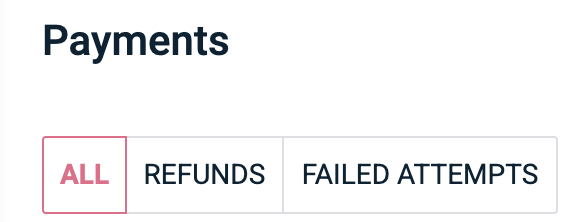
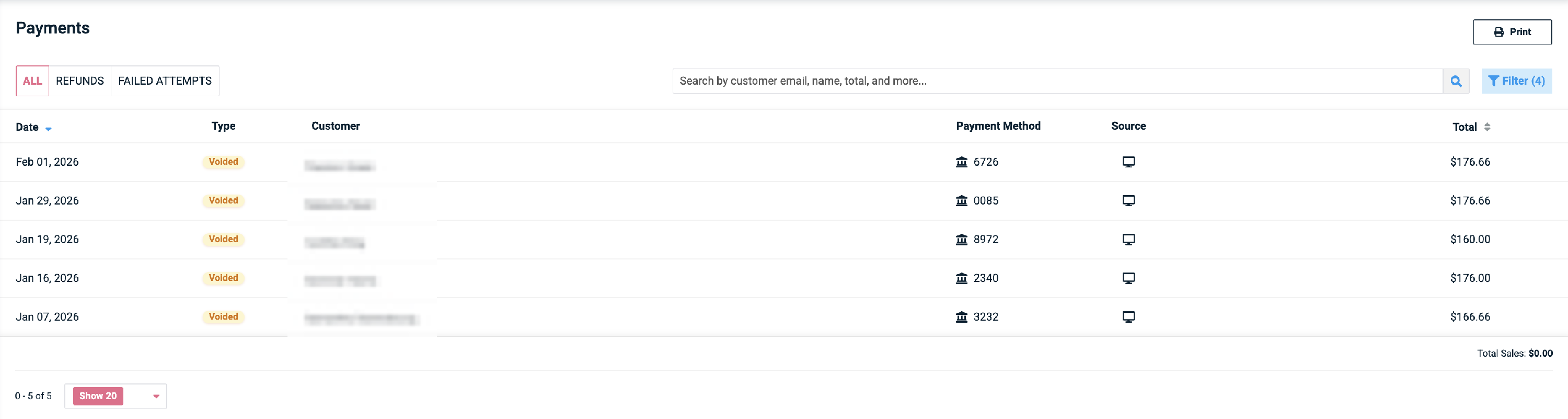
- On the right-hand side of the window, click the Filter button.

- Update the date range, the Payment Type to Bank and the Type to Voided. Click Apply.

-
Original successful ACH payments that have since been reversed/clawed back will be listed.
-
Click an individual Voided payment to view the decline code and reason.
Common Decline Codes
- AVS Rejected
- The street address and postal code do not match, or the cardholder's name, street address and postal code do not match.
- Do Not Honor
- This is a decline from the bank that issued the card. Ask the cardholder to contact their bank or ask them for an alternative payment method.
- Insufficient Funds
- Account does not have a high enough balance to fund the transaction.
- Invalid CVV
- The bank that issued the card is reporting that the CVV entered does not match.
- CVV2 Mismatch
- The payment card's CVV, or Card Verification Value, is generated using a second-generation process, which makes it more difficult to guess. Confirm the correct CVV with the cardholder.
- Blocked, first used
- The card is new and the cardholder is using it for the first time. The issuing bank has flagged/blocked the first transaction until the cardholder verifies that the card is in their possession and the purchase is legitimate.
- Account Closed
- The previously active account has been closed by the cardholder.
- Expired Card
- The card's expiration date has passed. Contact the cardholder to obtain the new expiration date and retry the transaction.
- Transaction not permitted by user
- The payment card cannot process the type of transaction attempted. This is common with HSA cards, such as when the HSA company does not allow recurring payments. Ask the cardholder to contact the card issuer to allow the transaction.
- Pick up card - L
- The payment card has been reported lost.
- Pick up card - S
- The payment card has been reported stolen.
- Pick up card - SF
- The transaction is suspected to be fraudulent.
- Pin tries exceeded
- Someone has attempted purchases on this card with the incorrect PIN three times in a row. This action will automatically block the card.
- Invalid Merchant ID
- If this error appears for a single customer, it typically points to an issue on the cardholder's end. Suggest that the cardholder reach out to their bank for further details, as there may be a restriction preventing the payment from being processed successfully.
- This could indicate an issue with the TopsPay account. Please call Tops Support at 770.627.2527.
- Max Limit Error
- The payment card has been used too many times in a 24-hour period.
- Try the payment again the following day.
- Daily Transaction Limit Exceeded
- The daily ACH transaction limit has been met for the account.
- Decline Limit Error
- The decline-to-approval ratio for your TopsPay location is too high. Please call Tops Support at 770.627.2527.
Additional ACH Decline Codes
ACH R-Code
Below are the most common ACH decline codes shown in Stax and their meaning. The ACH return code is sent to Stax directly from the merchant’s bank. An "R Code" helps to provide further information as to why the debit or credit Stax attempted has failed. Please contact Stax Partner Support via Stax Connect for any additional assistance.
| R Code | Description |
|---|---|
| R01: Insufficient Funds | The available balance is not enough to cover the value of the debit. |
| R02: Account Closed | An account that was previously active has been closed by the customer. |
| R03: No Account / Unable to Locate Account | The account information provided has a valid format, but the account number does not match up with the individual/business. |
| R04: Invalid Account Number | The format of the account number is not valid. |
| R05: Unauthorized Debit to Consumer Account Using Corporate SEC Code | A debit was sent to a consumer account, but the receiver has not authorized the entry. |
| R06: Returned per ODFI's Request | The ODFI requested for the RDFI to return the ACH entry. |
| R07: Authorization Revoked by Customer | The customer who initially authorized the ACH entry has revoked authorization. |
| R08: Payment Stopped | The receiver of a recurring debit transaction placed a stop payment order. |
| R09: Uncollected Funds | A sufficient ledger balance, but the available balance is below this dollar value. |
| R10: Customer Advises Unauthorized | The receiver has notified their bank that this entry is unauthorized. |
| R11: Check Truncation Entry Return | Only used when returning a check truncation. |
| R12: Branch Sold to Another DFI | A financial institution received an entry to an account that has been sold to another institution. |
| R13: Invalid ACH Routing Number | The routing number provided is not valid. |
| R14: Representative Payee Deceased or Unable to Continue | The representative payee is either deceased or can no longer continue in their original capacity. |
| R15: Beneficiary or Account Holder Deceased | The beneficiary or Account Holder is deceased. |
| R16: Account Frozen | Access to the account is restricted due to legal action or a specific action taken by RDFI. |
|
R17: File Record Edit Criteria |
Transaction may contain invalid account information (excludes routing and account numbers) or a questionable transaction. |
|
R20: Non Transaction Account |
The account is not setup to accept payments. |
| R29: Corporate Customer Advises Not Authorized | The account holder advised the RDFI that the originator cannot debit their account. |
Max Attempts Error
Did you receive the error:
“This transaction exceeds the number of times the same payment method can be charged in succession. Please contact support if you would like to increase your limit.”?
This error occurs when a payment method has been attempted more than 6 times within a 12-hour period.
- A rolling 12-hour window is used to track attempts
- Once the limit is reached, the payment method is temporarily locked
- The lock remains in place for 12 hours from the first attempt-not the most recent attempt
Example:
If 6 attempts are made within 1 hour, the limit is reached and the payment method is locked. Since the 12-hour window started with the first attempt, the payment method will become available again in 11 hours.