
Installing TopsCephmate
Installing TopsCephMate on a workstation is very similar to installing the Tops application. Follow the steps below to download, install, and activate the software.
Download and Install topsCephmate
-
Download TopsCephMate using the following link:
https://downloads.topsortho.com/topscephmate/release/topsCephMate3.2.1.zip
- Open your Downloads folder and double-click TopsCephMate3.2.1.zip.
- Once the file has finished extracting, locate TopsCephMate.app.
-
Drag TopsCephMate.app into your Tops Applications folder.
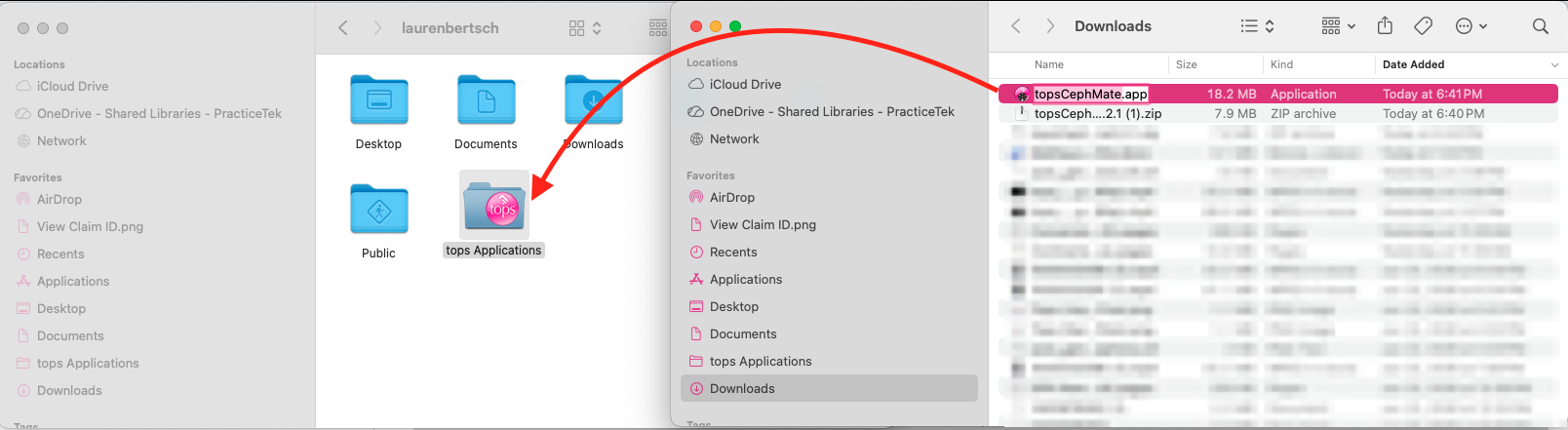
- Double-click the TopsCephMate icon to launch the application.
- If macOS displays a security prompt, click Open.
Install the Latest Update
- When TopsCephMate launches, you’ll be prompted to install the latest update.
- Click Install Update.
- After the update downloads, click Install and Relaunch.
|
|
|


Note: If you select Skip or Remind Me Later, you can install the update at any time by selecting TopsCephMate > Check for Updates… from the menu bar.
Activate Your License
If the workstation has not already been paired:
-
Click Log in using topsServer.
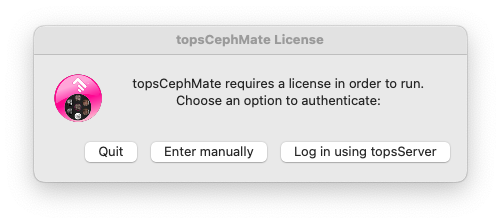
- Enter your:
- Tops Server IP Address
- Server Fingerprint
-
Tops User Password
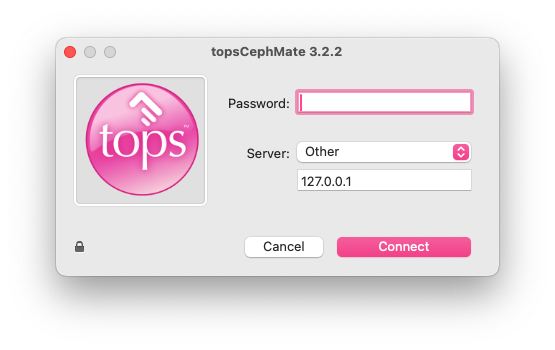
- Click Connect to complete the authentication to activate your TopsCephMate license and open TopsCephmate.
Keep TopsCephmate in the Dock
To make TopsCephMate easier to access:
- Right-click the TopsCephMate icon in the Dock.
- Select Options > Keep in Dock.
Troubleshooting
Unable to access Tops using an Eve Key?
Beginning with TopsCephMate version 3.2.1, Eve Keys are no longer supported. Version 3.2.1 and later use the Tops license server for licensing.
Important Considerations
- TopsCephMate v3.0.4 supports Eve Keys.
- TopsCephMate v3.0.4 is only compatible with macOS 10.12 (Sierra) and earlier.
- TopsCephMate v3.2.1 and later require authentication through the Tops license server.
- To use the license server, your practice must be current on its monthly Upgrade and Service Fee.
If your practice is still running TopsCephMate v3.0.4 and needs to upgrade, please contact Tops Support for assistance at 770.627.2527.