Treatment Notes from the Matrix Menu
Each patient seen in your practice today should ideally have an associated treatment note. This note is saved in Patient Information > Clinical as part of the patient’s record. If a treatment note was not entered for the day and rollover has occurred, you cannot add a note for that date.
The Treatment Notes Matrix provides a centralized view of clinical, scheduling, approval, and treatment information documented for your patients. In addition to identifying patients who are missing treatment notes, the Matrix can be used to audit completed documentation and review notes by team member to identify opportunities for coaching, consistency, and improvement.
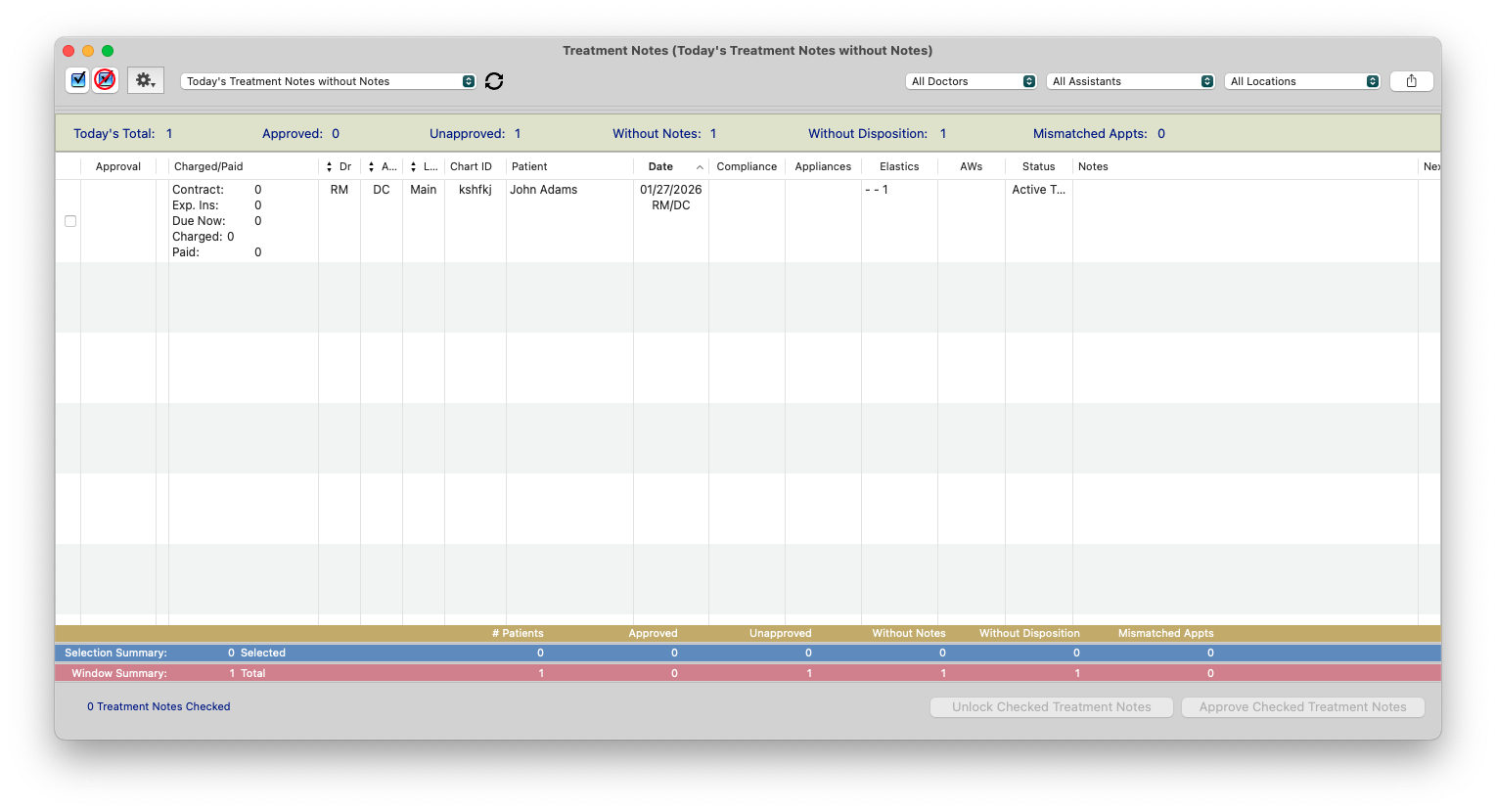
The Treatment Notes Matrix provides details recorded within each patient’s treatment note, along with related patient and scheduling information. Depending on the information entered, the Matrix can display:
- Chart ID
- Patient Name
- Date
- Workstation location assignment of where the treatment note was entered
- Treating/Chairside Doctor assigned in the treatment note
- Assistant assigned in the treatment note
- Approval time and who approved the treatment note
- Expected charges or payments during treatment
- Compliance information, including oral hygiene, elastics, and headgear
- Recommended appliance wear frequency
- Elastics assigned
- Archwires placed
- Treatment Status
- Treatment Notes
- Next Appointment
- Next Appointment Notes
- Whether the next appointment has been scheduled
The Matrix can also be sorted by Treatment Coordinator, Doctor, and Location Entered to make it easier to review treatment notes by team member, provider, or location.

Treatment Note Tasks
Viewing Treatment Notes
- Click Matrix from the menu bar.
- Click Treatment Notes, at the bottom.
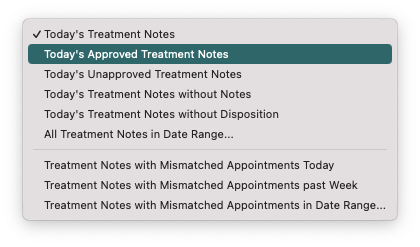
- From the task menu in the upper left, choose the view you’d like to see.
- Review the Notes column to verify whether a treatment note has been entered or is missing.
-
Double-click a patient’s name to open the patient’s chart and review or add the treatment note.
Note: The Doctor and Assistant displayed in the Treatment Notes Matrix are the Doctor and Assistant assigned within the treatment note. The Assistant listed in the treatment note is not necessarily the Assistant assigned to the patient in Patient Flow. These assignments are maintained separately and can be updated independently.

Approving Treatment Notes
You can review and approve treatment notes individually from the Treatment Notes Matrix or directly from the Treatment Note by clicking Approve Treatment Note.
You can also approve notes en masse by selecting the applicable checkboxes in the Treatment Notes list and clicking Approve Treatment Notes.
Approving a treatment note locks the note against future edits. Treatment notes also automatically lock at rollover.

Today's Treatment Notes without Notes
- From the task menu in the upper left, choose Today’s Treatment Notes without Notes.
- The displayed patients are those who do not have a treatment note.
- Double-click a patient’s name to open the patient’s chart and add the treatment note.
Important: Treatment notes should be entered before rollover. If a treatment note was missed and rollover has already occurred, a treatment note cannot be added for the previous date.
The Locations Filter
When filtering or sorting treatment notes by location, the Location is based on the location assigned to the workstation where the treatment note was initiated. It is not based on the location where the patient’s appointment occurred.
For example, if a patient is seen at one office but the treatment note is initiated from a workstation assigned to another location, the Treatment Notes Matrix will reflect the workstation’s assigned location.
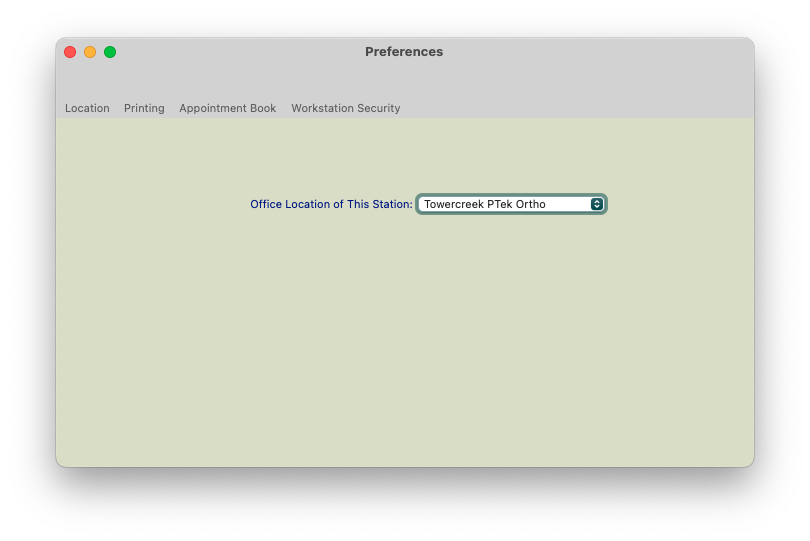
To review or update the location assigned to the workstation, go to Tops Ortho>Workstation Preferences...