Track Missed Appointments
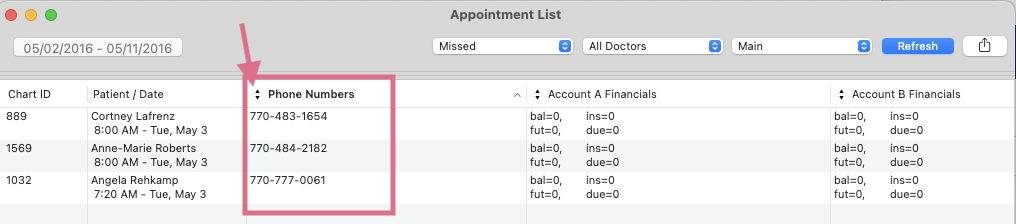
Patients' missed appointments display after rollover. With the information listed in this window, you can easily reschedule.
- Go to Matrix > Appointments.
- Input a Beginning Date and an Ending Date.
- Click Use Selected Date Range.
- Access the filter field and select Missed from the dropdown menu. Note: Update the doctors and locations fields, if needed.
- Click Refresh.
-
The information displayed in the columns can be updated. Click the arrows icon within the column header to view a list of options. We recommend selecting Phone Numbers to call your patients for rescheduling their missed appointment.