What Confirms an Appointment in TopsDPX?
Sure, you ask your patients to reply with "C" to confirm their appointments...but that's not always how they respond! Which responses confirm an appointment in TopsDPX?
Responding to a Text Confirmation Request
The following responses all CONFIRM an appointment for a patient as long as they respond to a Confirmation Request or a Confirmation Request reminder.
- C
- Confirm
- Yes
- Ok

Confirming through the URL or Button
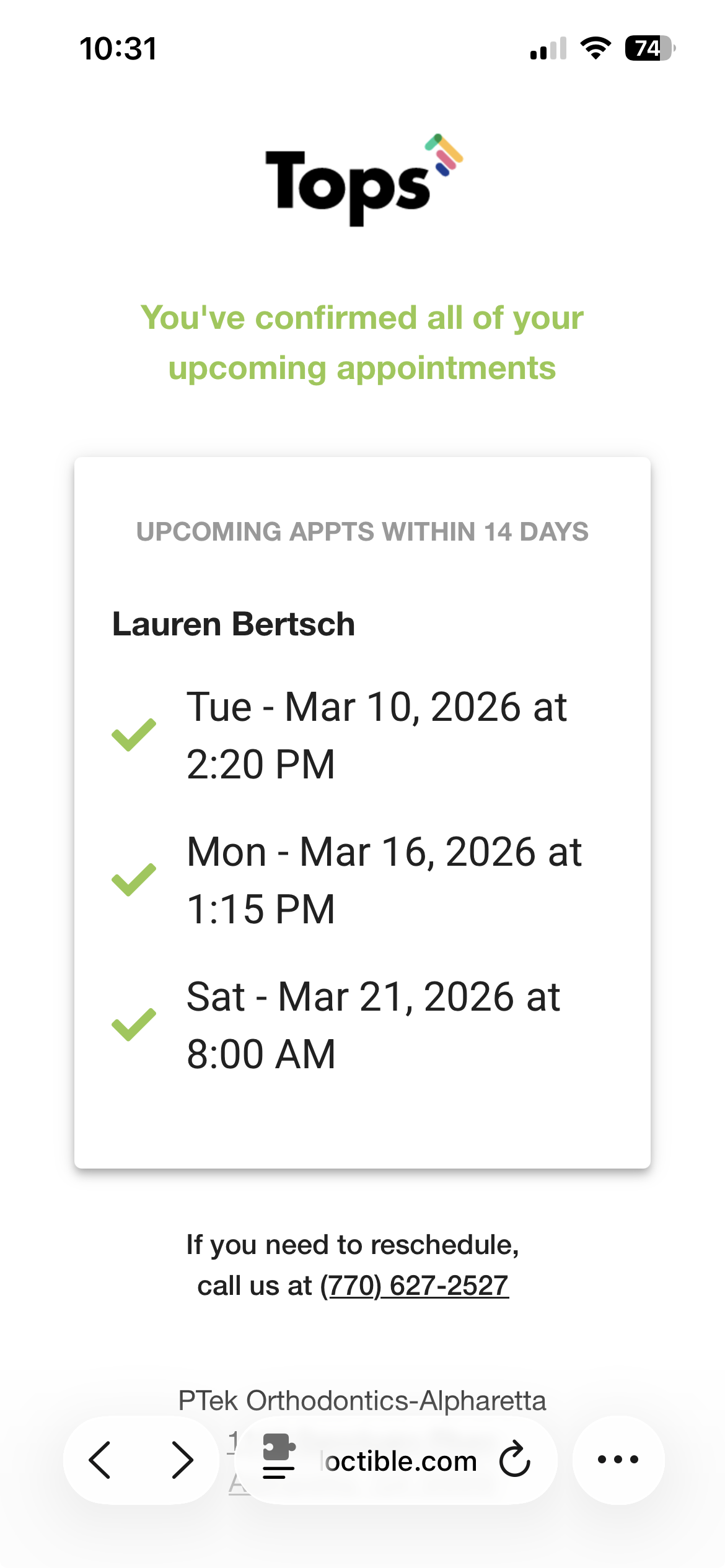
If a Confirmation Request or a Confirmation Reminder includes the Appt URL placeholder, the patient can confirm their appointment(s) by clicking the link in the text or button in the email, and manually selecting the appointment(s) to confirm:
| Confirmation Text with Appointment List and the Appt URL | Confirmation Email will always include a button |
|---|---|
|
|

|

How the Appointments may be listed for a single or multiple family members.

|
|
|
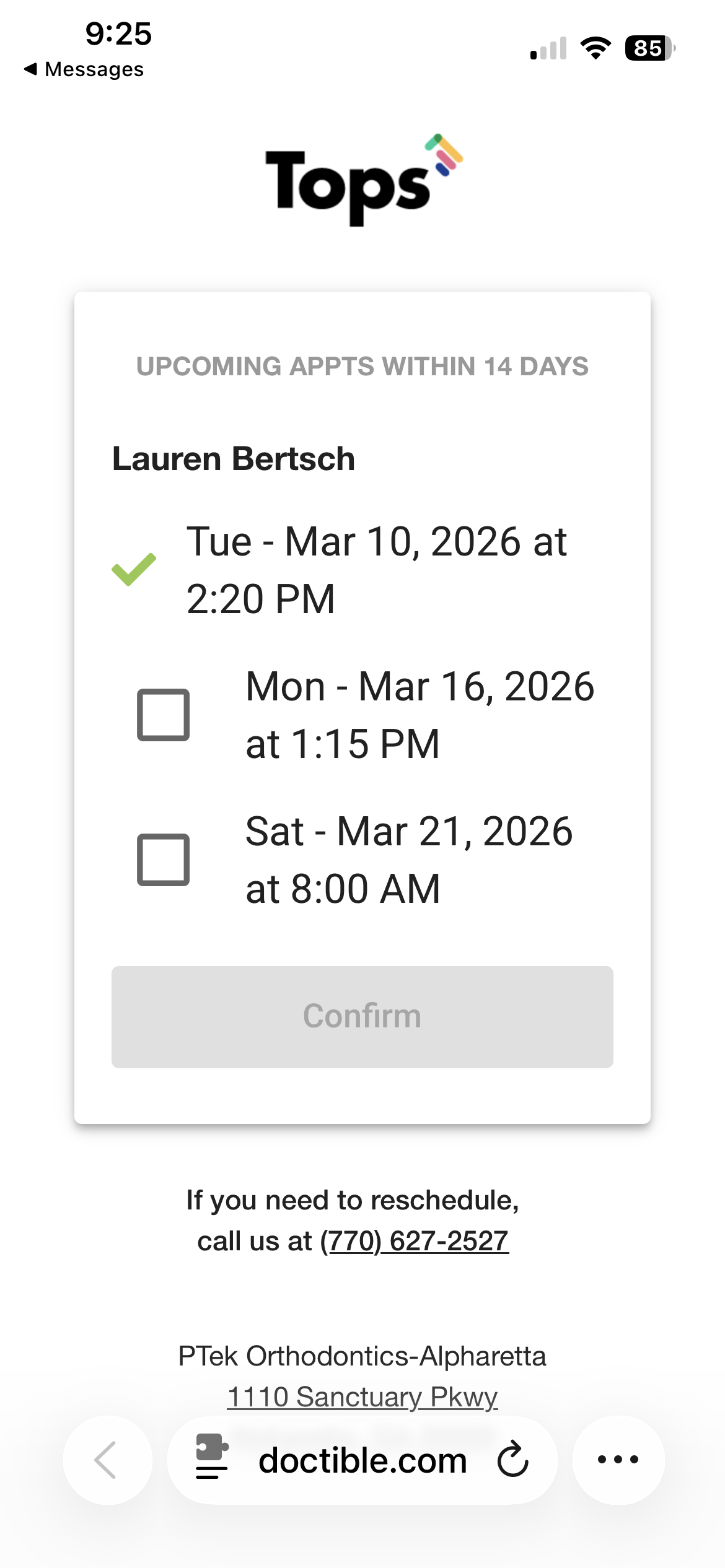

**If the Disable Stacked Reminder setting is not enabled, and a patient(s) has multiple appointments on the same day, only the earliest appointment will appear in the Appts URL view for a patient to confirm. When the patient confirms the single appointment, all appointments in the course of the day for the specific patient will be marked as Confirmed.
Manually Confirming an Appointment by Staff
If a patient responds to a Reminder, versus a Confirmation Request or Confirmation Request Reminder, ora patient responds to a direct text message from a team member who asks the patient to confirm their appointment, TopsDPX will not automatically update your Tops appointment book automatically to reflect a confirmed status.
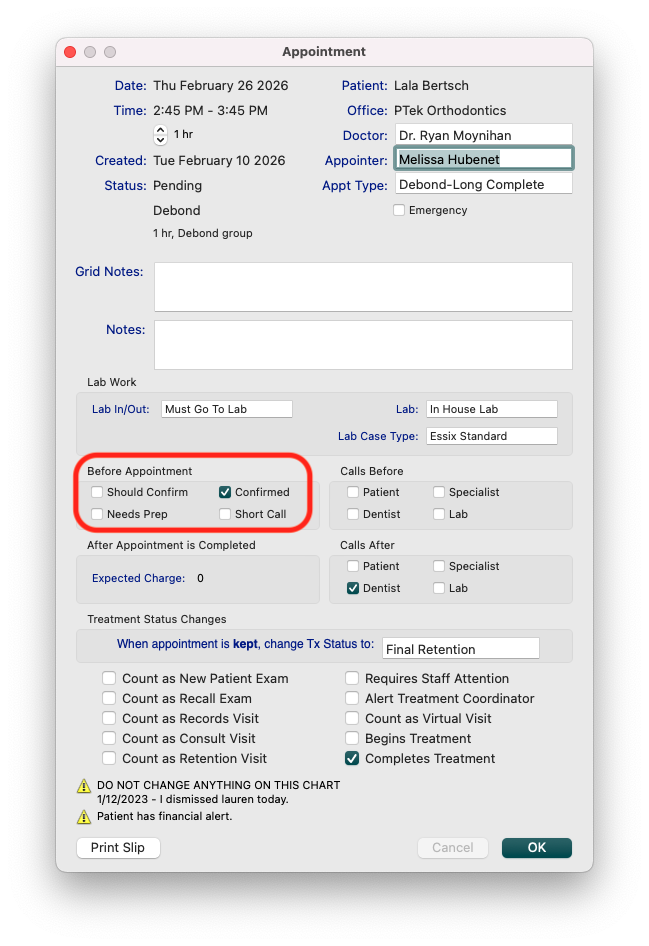
To manually update a patient's appointment to reflect confirmed, follow the steps below:
- From Tops, go to Day>Appointment book or press Command-B or open the patient's chart using Command-3, locate their appointment in the Appointment/Recalls tab, and double click on the appointment.
- Right-click on the appointment from the Appointment Book, and choose the option to View Appointment Info.
- In the Before Appointment section, place a checkmark in the Confirmed box.
Confirmed Appointments in the Appointment Book
When a patient confirms their appointment, you will see the "C" on their appointment change from red to green within an hour of their confirmation.
Once an appointment is confirmed using the above methods, from the Appointment Book, you will see the "©️" on their appointment change from red to green within the hour of their confirmation.
|
|
|


- When a patient confirms their appointment, the appointment book does not immediately update. Tops will refresh the Appointment Book once an hour and at rollover, nightly.
- To manually refresh the Appointment Book, either relaunch Tops or go to Comm>Tops Reminders to refresh the Appointment Book with new confirmations, or view the Schedule from TopsDPX to view recently confirmed appointments.

Auto Response to Confirmations
Once a patient responds via text to a confirmation request, they will receive one of two automated responses.
|
|
|


The automated response can be customized in by going to Settings>Templates>Schedule. On the left-hand side of the window, scroll down to view the Thank you templates.

Additionally, once a patient has confirmed all appointments whether responding to texts or directly in via the URL, the list of appointments displayed from the URL will reflect confirmation.
|
|
|
|