
Correcting a Contract That Was Activated with Errors
If you've opened this article, chances are you either activated a contract by mistake or activated a contract that was set up incorrectly.
Before adjusting the contract, deleting charges, or deactivating the contract, follow the steps below to determine the best course of action.
Step 1: Review the Contract Status
The contract status will determine what changes can still be made.
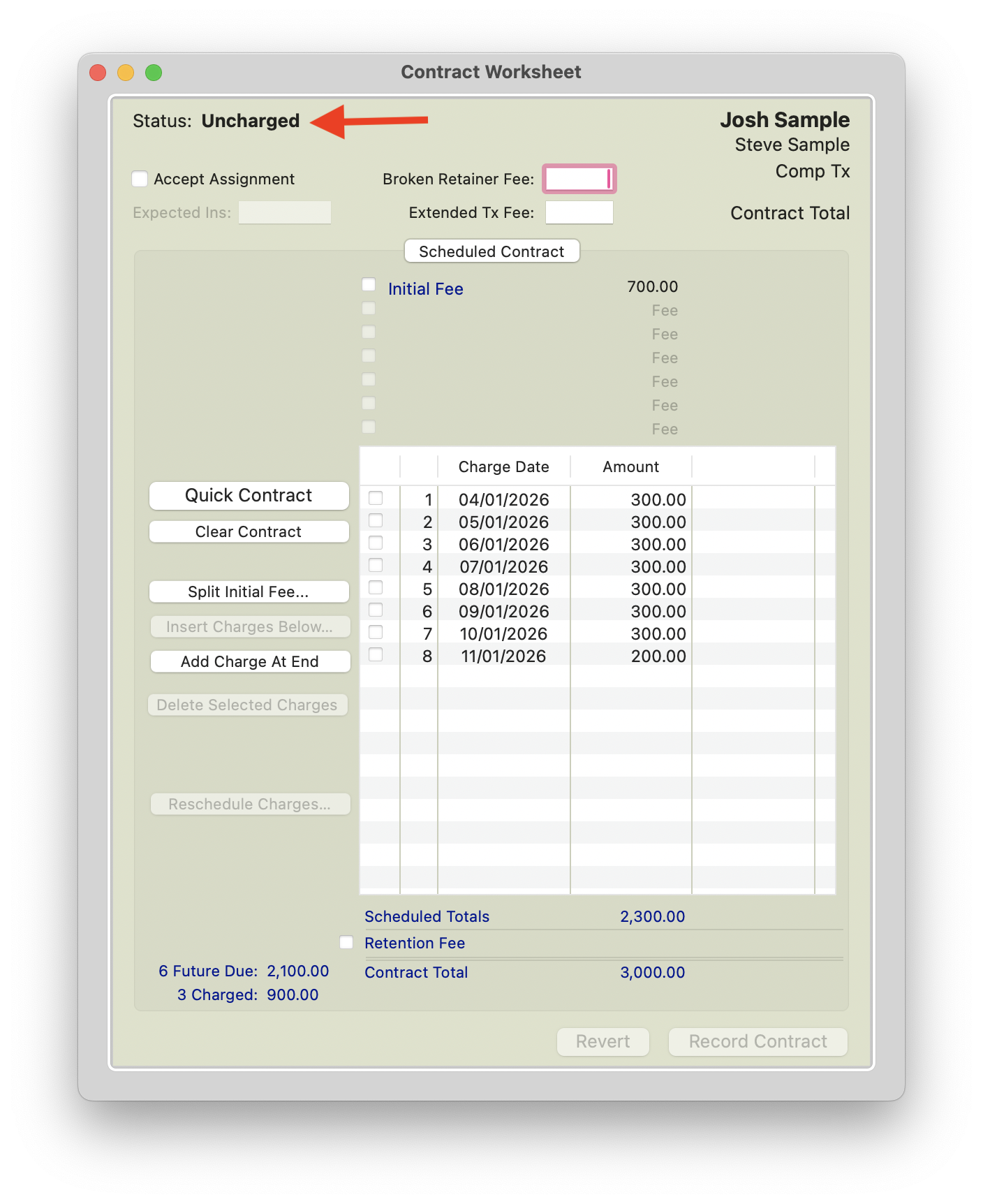
Uncharged
If a contract status shows as Uncharged, the contract has not yet been activated and contract details can still be modified.
Active
If a contract shows a status of Active, the contract has already been activated. Review the contract details carefully to determine what corrections can still be made and whether additional adjustments are necessary.
Step 2: Review the Initial Fee Amount
The initial fee is often the most important factor when correcting an activated contract.
The initial fee activates the contract and cannot be voided from the Financial Day Sheet after it has been charged. Because of this, it is important to review the contract carefully before making any corrections.
The appropriate solution will depend on whether the contract includes insurance and the type of error that occurred.
Step 3: Click your Scenario to follow Suggested Steps
Contracts Without Insurance
Scenario 1: Initial Fee Charged is Too Low
Scenario 2: Initial Fee Charged is Too high
Contracts With Insurance
Coming Soon!
Contracts Without Insurance
Scenario: Initial Fee Charged is Too Low.
Example: The patient made a down payment of $1000, but the contract was activated with an initial fee of $500.
| Contract Details | Amount |
| Contract Total | $6000 |
| Initial Fee Charged | $500 |
| Future Payments | 19 future payments of $300 |
| Correct Initial Fee | $1000 |
| Difference | $500 |
Error: The initial fee should have been $1,000 but $500 was charged.
Because the contract has already been activated, the initial fee cannot simply be changed. Instead, you will need to collect the missing $500 while keeping the total contract amount at $6,000.
|
|
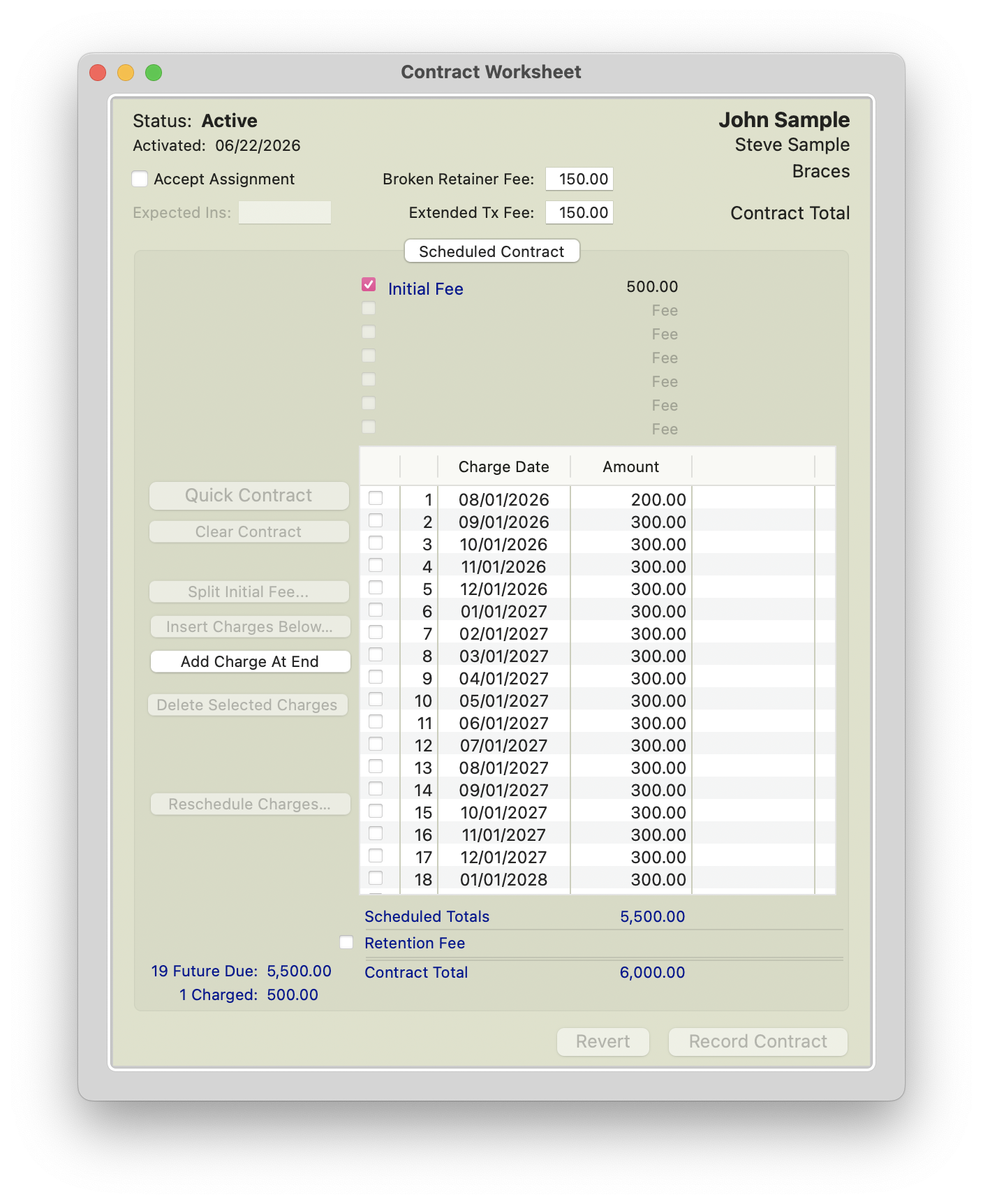
Option 1:
- Add an Undated Charge for the remaining $500.
- Select an appropriate fee from the fee schedule, such as:
- Miscellaneous
- Appliance Placement Fee
- Another custom fee type used by your practice
- Since an additional $500 is being added to the patient's ledger, reduce future scheduled monthly payments by a total of $500 to keep the contract total at $6,000.
- Click Record Contract.
- Press Command + T and charge the undated fee to the patient's ledger.

|

|
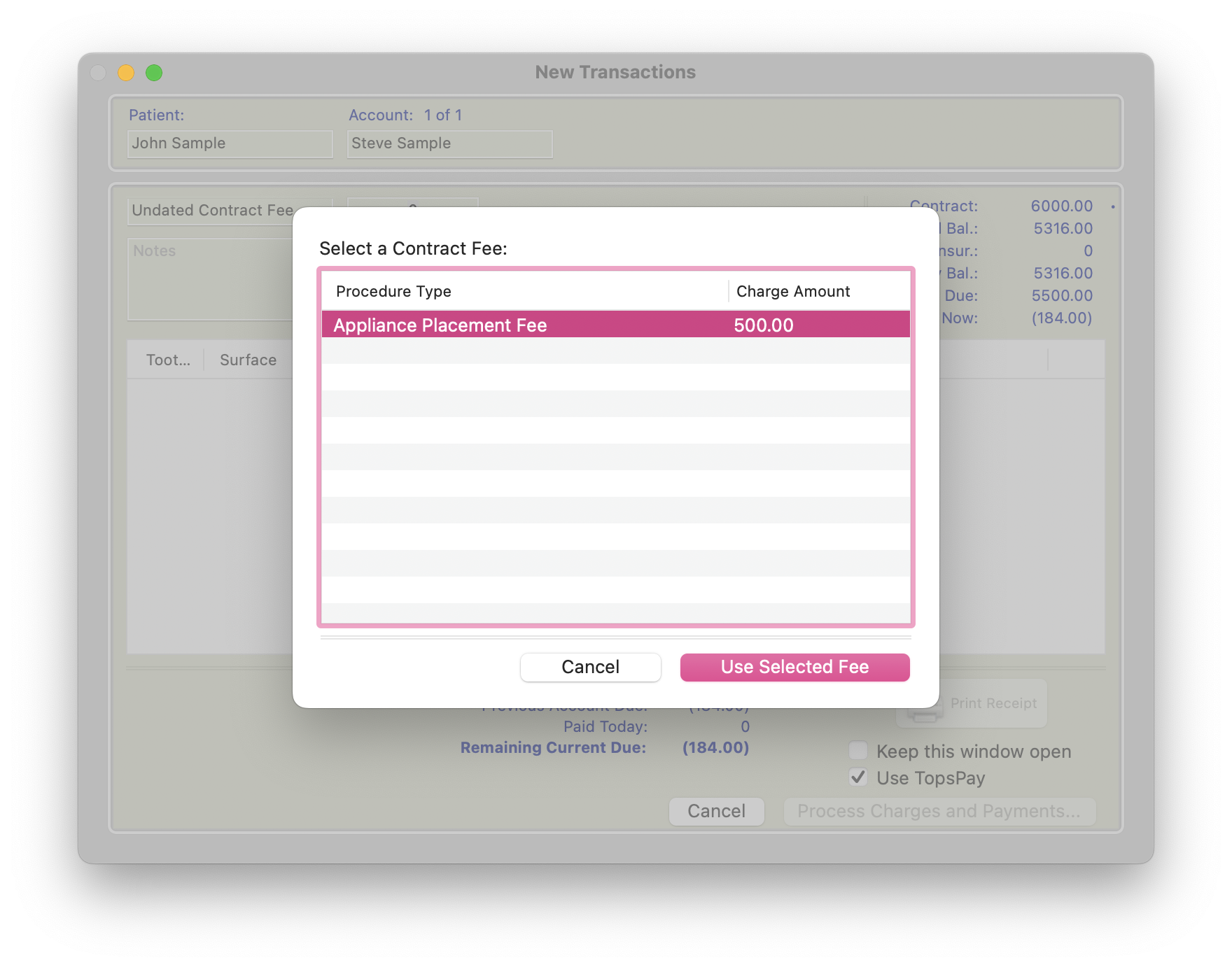
Option 2: Add a Scheduled Charge
- Add a scheduled charge for the following day in the amount of $500.
- Since an additional $500 is being added to the patient's ledger, reduce future scheduled monthly payments by a total of $500 to keep the contract total at $6,000.
- Click Record Contract.
- The additional fee will automatically post to the patient's ledger during rollover.
|
|
|
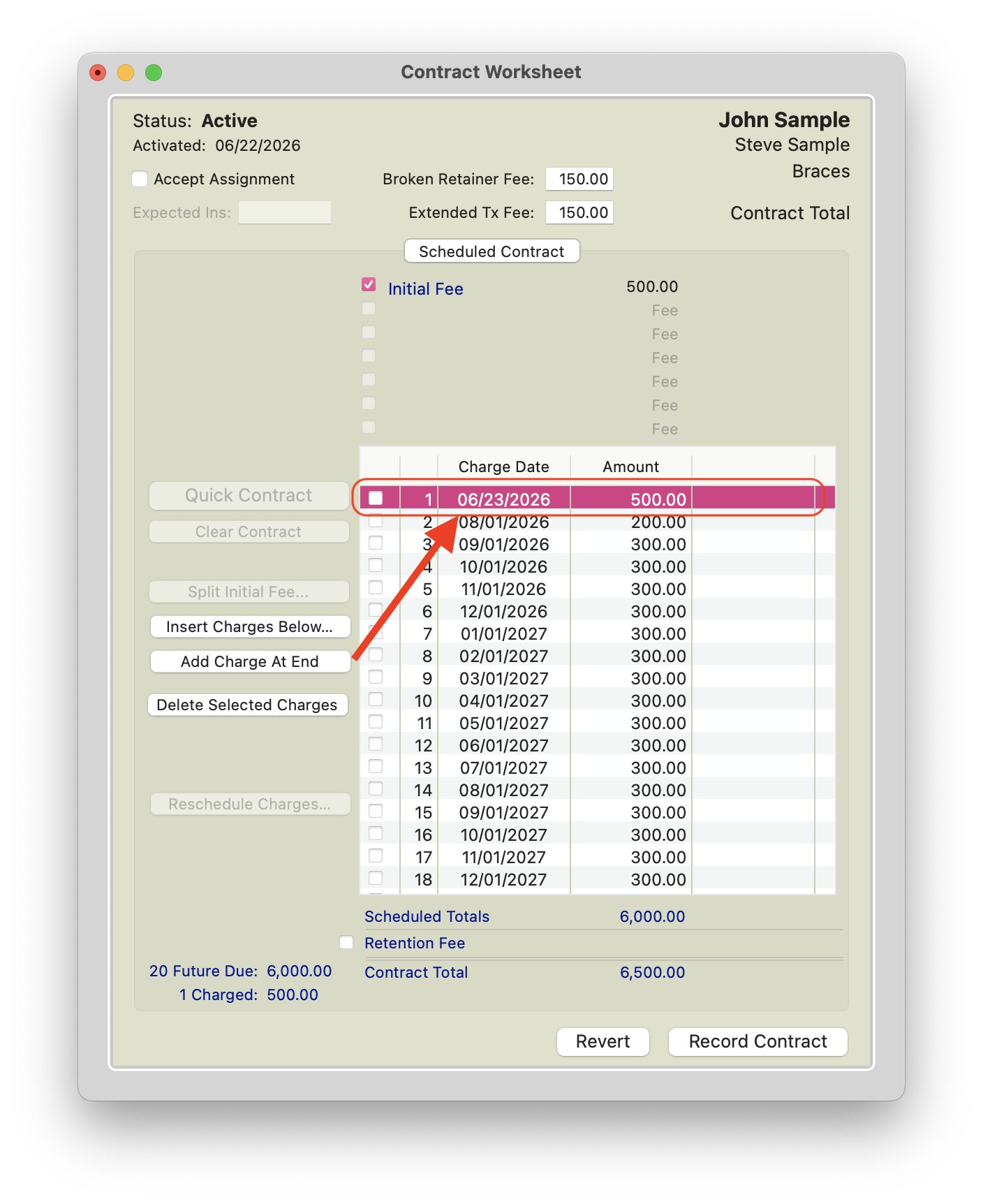
What the Patient Will See
The patient's ledger will reflect an additional $500 charge to account for the amount that was not included in the initial fee.
If the patient paid the intended $1000 down payment, their account balance and payment history will still accurately reflect the payment received. The adjustment simply ensures that the contract charges match the agreed-upon contract structure.
Depending on which correction method was used:
- Option 1 (Undated Charge): The additional $500 will appear on the ledger immediately once the charge is posted.
- Option 2 (Scheduled Charge): The additional $500 will appear on the ledger when the scheduled charge posts during rollover.
Because future monthly payments were reduced by a total of $500, the patient will not be overcharged over the life of the contract. Any associated AutoPay Plan schedule will remain aligned with the updated contract charges and payment schedule.
Result
This correction allows the practice to recover the portion of the initial fee that was missed when the contract was activated.
By adding the missing $500 and reducing future monthly payments by the same amount:
- The contract total remains $6000.
- The patient's ledger accurately reflects the agreed-upon financial arrangement.
- The patient is not overcharged.
- Future scheduled payments continue according to the revised payment schedule.
Once the adjustment has been made and the contract has been recorded, the contract should continue normally with the updated monthly payment amounts.
Scenario - Initial Fee Charged is Too High
The patient made a down payment of $300, but the contract was activated with an initial fee of $500.
| Contract Details | Amount |
| Contract Total | $6000 |
| Initial Fee Charged | $500 |
| Future Payments | 19 Future Payments of $300 |
| Correct Initial Fee | $300 |
| Difference | $200 |
Error: The initial fee should have been $300 but $500 was charged.
Because the initial fee has already charged out, the $500 cannot be voided from the Financial Day Sheet. Instead, adjust the first scheduled monthly charge to account for the extra $200 that was charged upfront.
Steps:
- Review the initial fee that was charged.
- Confirm that the initial fee was charged for $500 instead of the correct amount of $300.
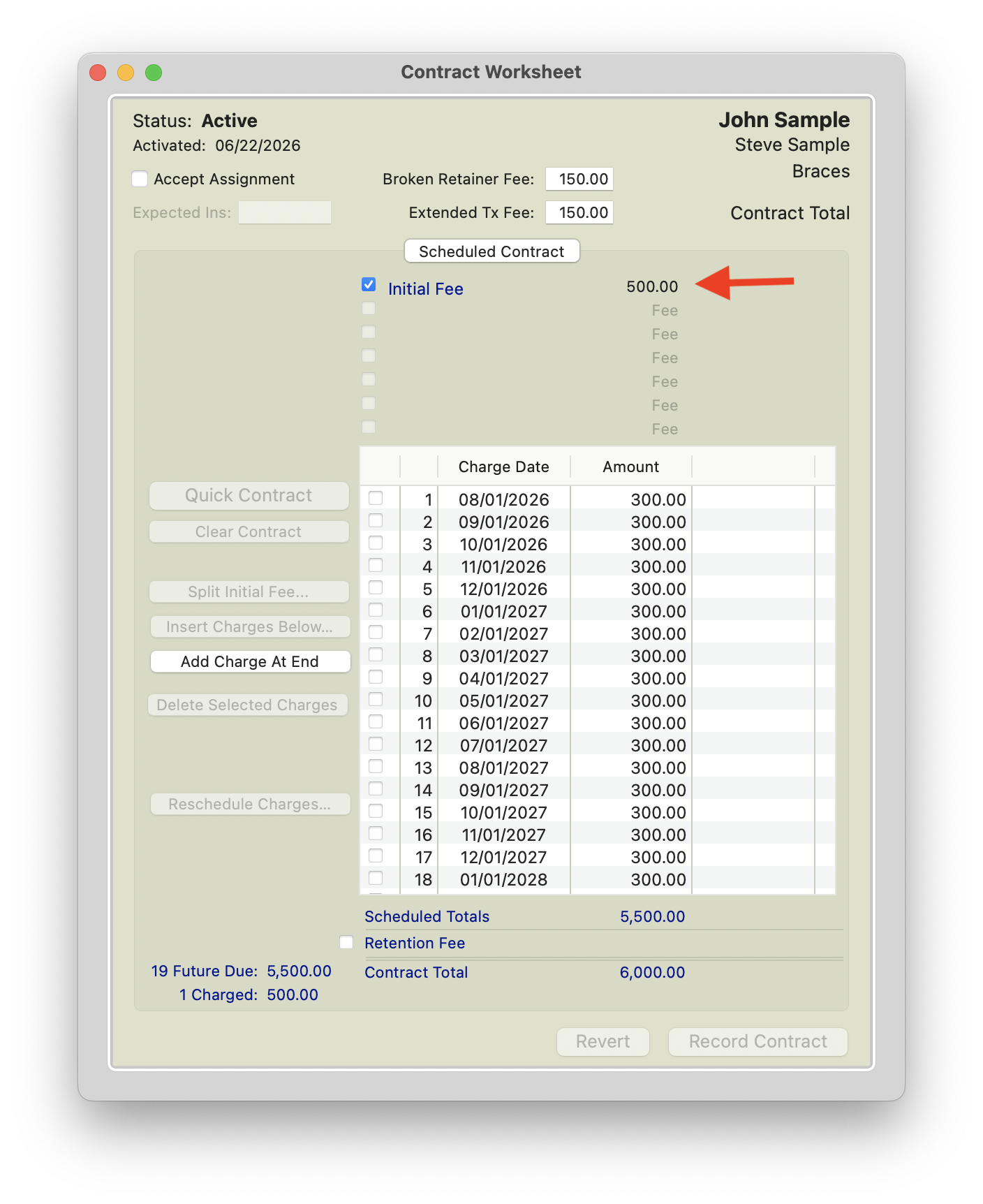
- Adjust the first scheduled monthly charge to $100.
- This accounts for the extra $200 that already charged out with the initial fee.
-
The patient will still be responsible for a $300 down payment and $300 monthly payments going forward.
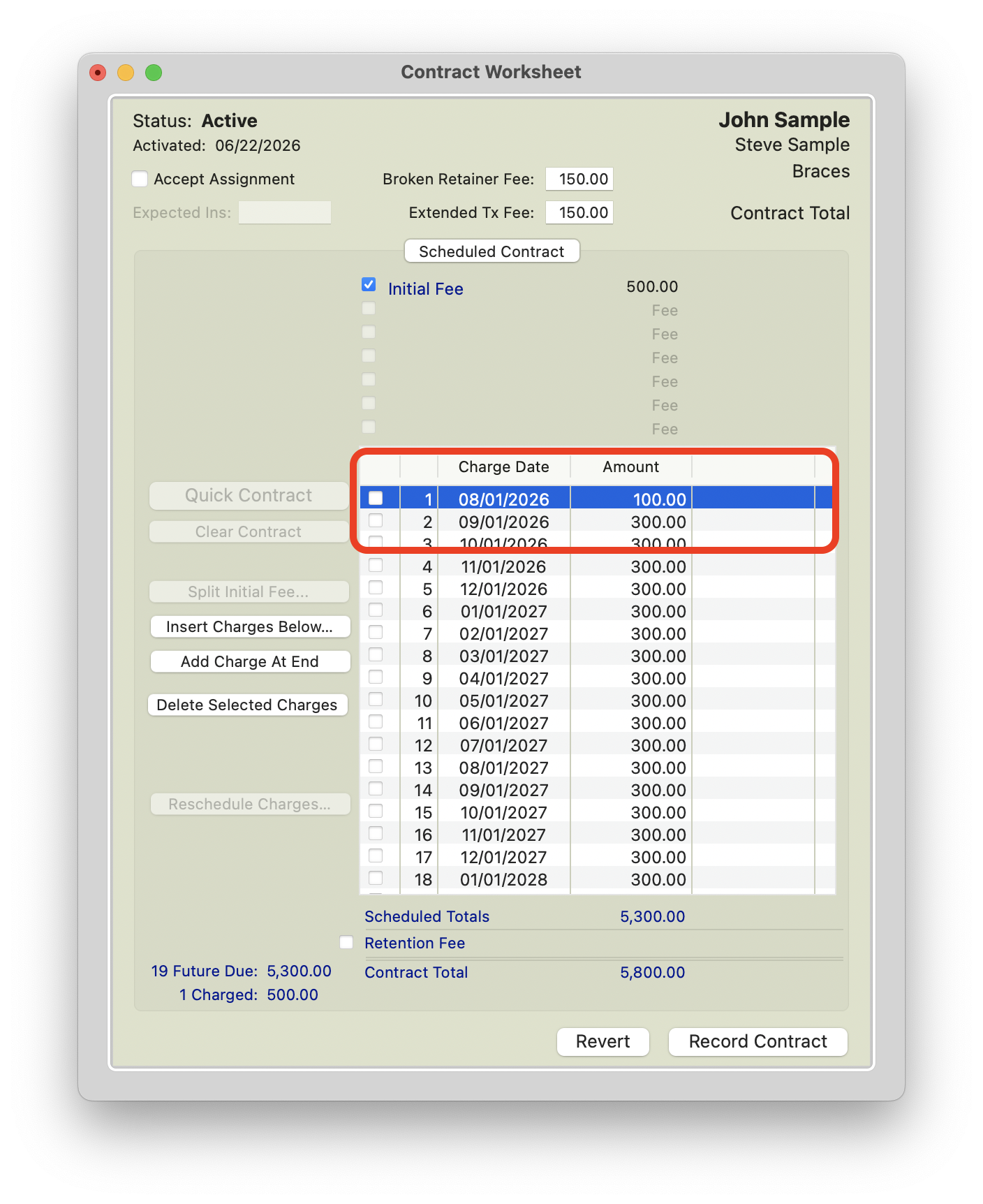
Modify first monthly charge
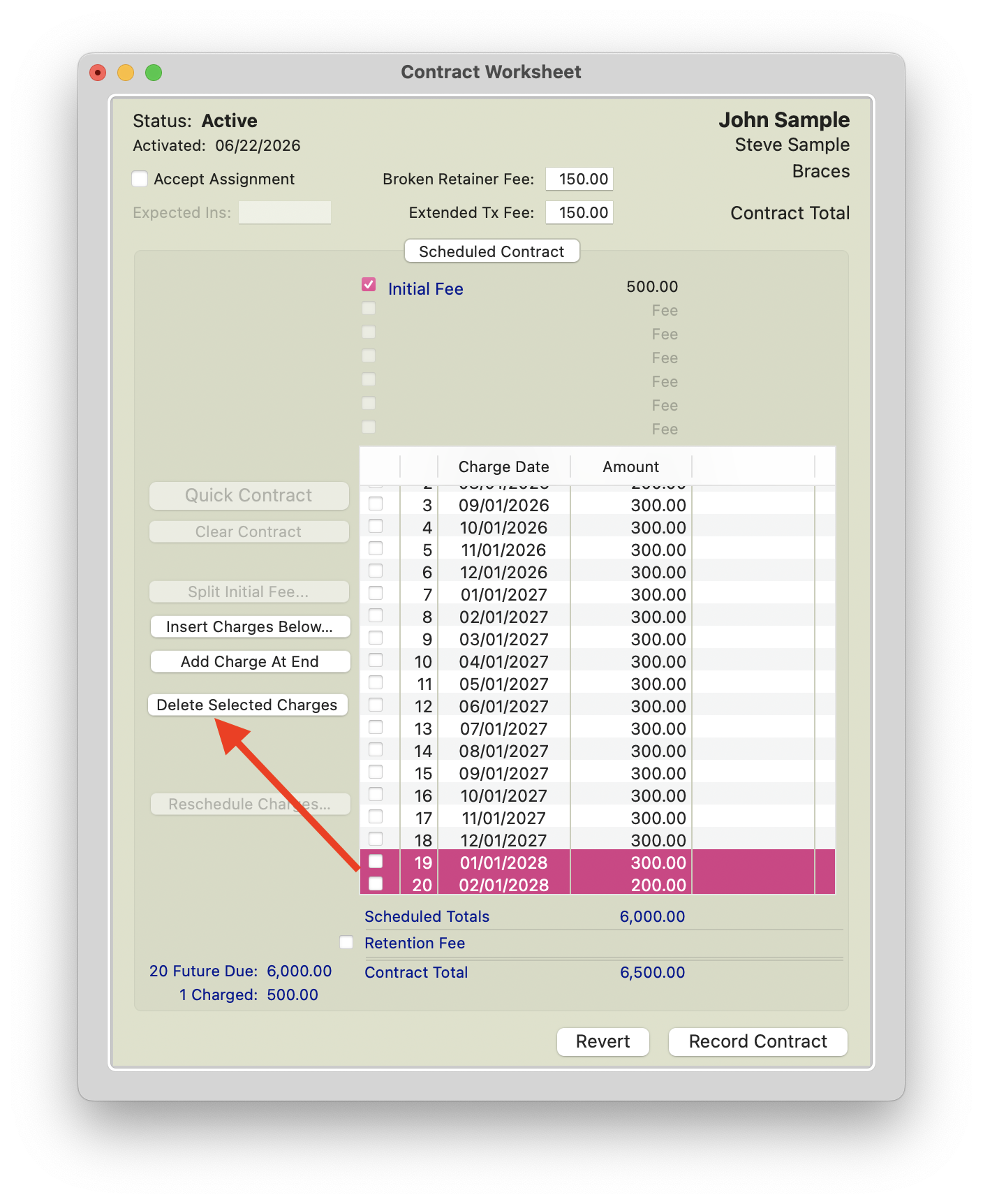
- Increase the final scheduled charge by $200.
- This ensures the contract total remains unchanged.
- For example, if the final scheduled charge was originally $100, update it to $300.

|

|
- Click Record Contract.
What the Patient Will See
When the patient makes their initial payment of $300, the ledger will still show a Due Now amount of $200, because $500 was charged to the ledger.
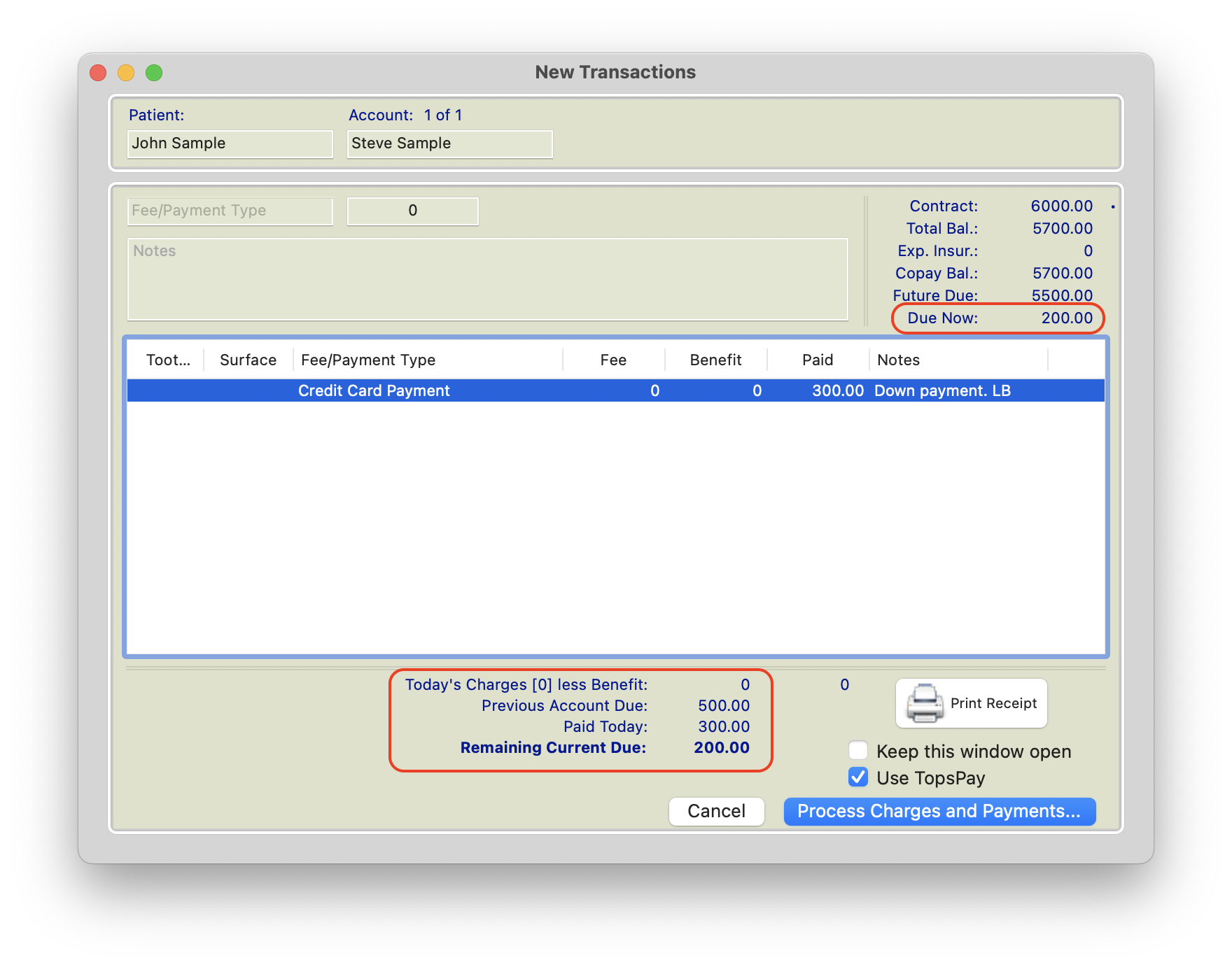
On the first scheduled monthly charge date, only the remaining $100 will charge out. This completes the first regular $300 monthly amount by combining:
- $200 already charged upfront
- $100 charged on the first scheduled monthly date
After that first scheduled monthly charge, the rest of the contract should continue as expected with regular $300 monthly charges. Any associated AutoPay Plan schedule will remain aligned with the updated contract charges and payment schedule.
Result
This correction allows the contract to remain at the correct total while accounting for the amount that was charged too early. The patient still pays the intended $300 down payment and the $300 monthly payment, but the first monthly charge is reduced to offset the extra $200 included in the initial fee.