
Hiding a Card in TopsPay
Feature Enhancement Coming Your Way Soon!
Tops version 9.12.6.
If a credit or debit card should no longer be available for payment processing—such as when it was entered by mistake, the account holder no longer wants to use it, or the card is no longer valid—you can hide it from the account. This helps ensure that only active, approved payment methods are available for processing.
Note: Once a card has been added to an account holder's profile, it cannot be deleted. However, it can be hidden or made visible again at any time.
- Open the patient's chart by pressing Command-1 selecting View>Patient Info
- Select the appropriate Account Holder (Account 1 or Account 2)
- Open the Contracts/Ledgers tab.
-
In the lower section of the Contract column, click Card.
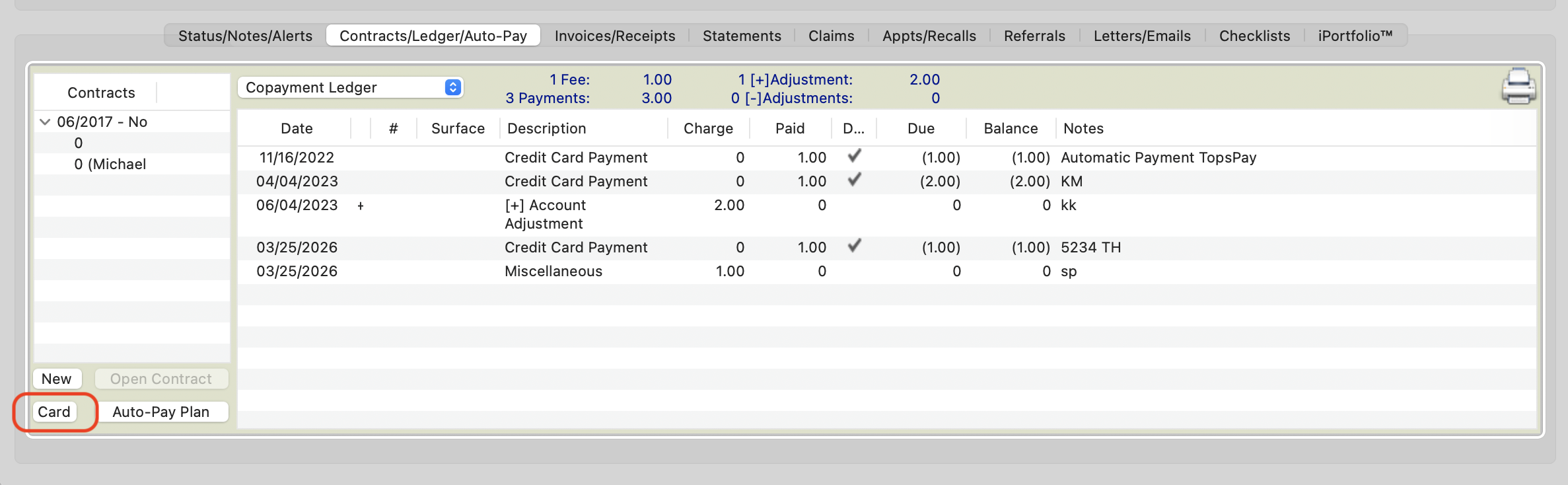
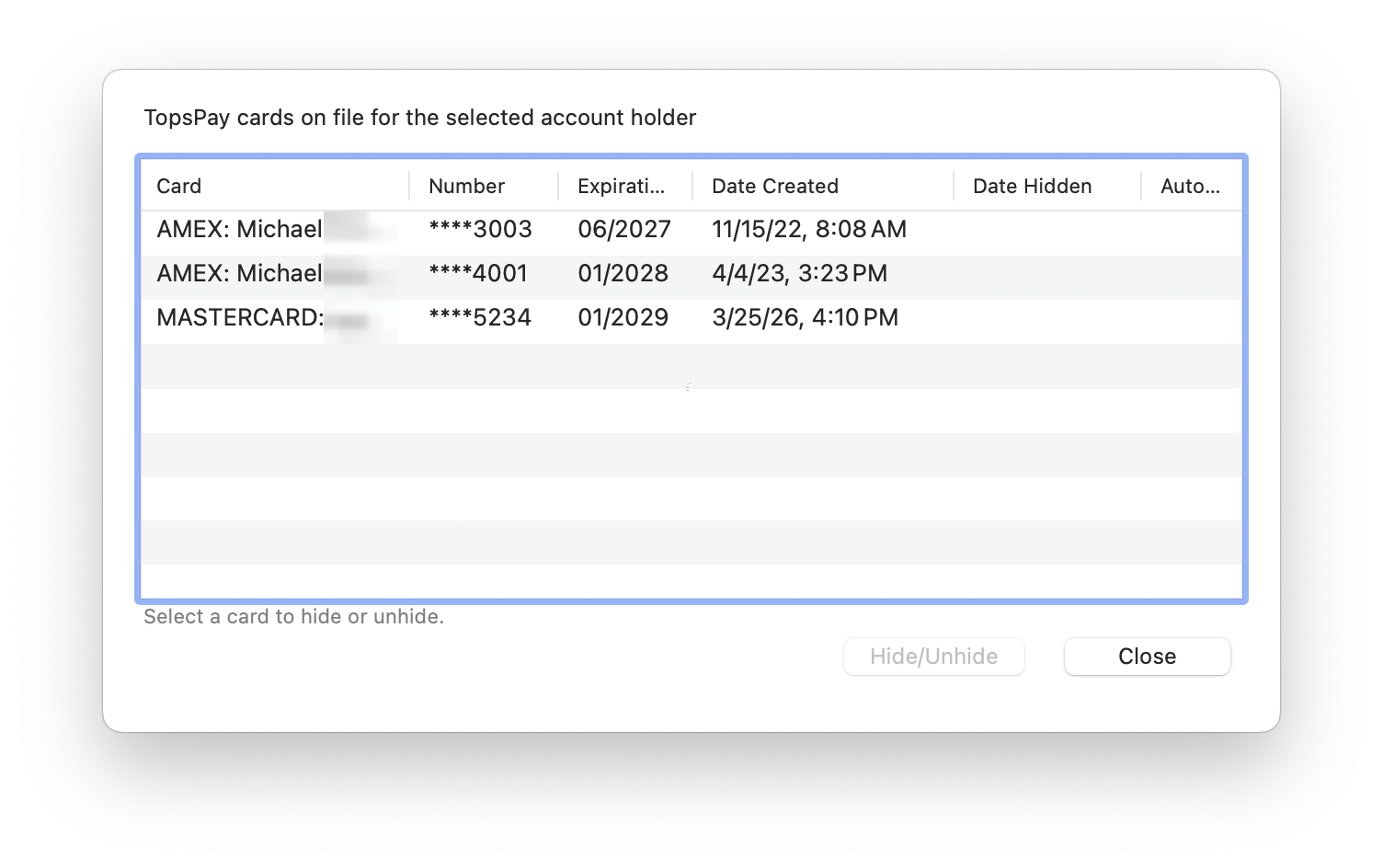
- A list of all cards associated with the selected account holder will appear.
- Select the card you want to hide or unhide, and click the corresponding button. Make note if the card is currently being used in an AutoPay plan.
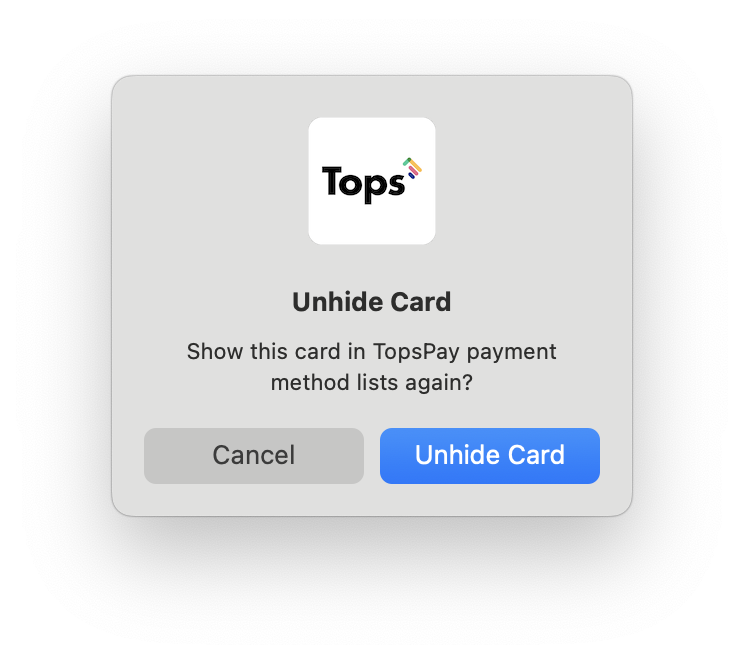
- Confirm your selection.

|
|
- Select Close when done.
Result: The selected card is hidden from the account holder's available payment methods but remains in the patient's record for historical purposes. Hidden cards can be made visible again at any time by following the same steps and selecting Unhide.