
Split Contract - No Insurance
Before You Begin
- When a patient’s contract must be split between two responsible parties, you must create both Account 1 and Account 2.
- When splitting a contract, it is strongly recommended that both responsible parties sign their respective contracts.
- Prepare the details
- Know each account holder's responsibility before any discounts or down payments. This will be their individual Total Contract Value.
- Know how much of the discount or courtesy, if applicable, should apply to each account holder. The portion of the discount will be part of their individual initial fee.
- Know the downpayment for each account holder.
- Know the scheduled monthly amounts per account holder, and the start date of the recurring monthlies.
| Contract Details | Account 1 | Account 2 |
|---|---|---|
| Split Calculation | Split % | Split % |
| Total Contract | Total Contract x Split % | Total Contract x Split % |
| Discount | Discount x Split % | Discount x Split % |
| Total Downpayment | Account 1 Down Payment | Account 2 Down Payment |
| Initial fee |
Account 1 Down Payment + (Discount x Split %) |
Account 2 Down Payment + (Discount x Split %) |
| Monthly Recurring Fee or months | Determined by Account 1 based on remaining due. | Determined by Account 2 based on remaining due. |
| First Charge Date | Determined by Account 1 | Determined by Account 2 |
| Scheduled Totals | Sum of Monthly Charges | Sum of Monthly Charges |
| Verify Calculation | Initial fee + Scheduled Totals = Split Total Contract | Initial fee + Scheduled Totals = Split Total Contract |
Steps to Splitting a Contract
Creating the Account 1 Contract
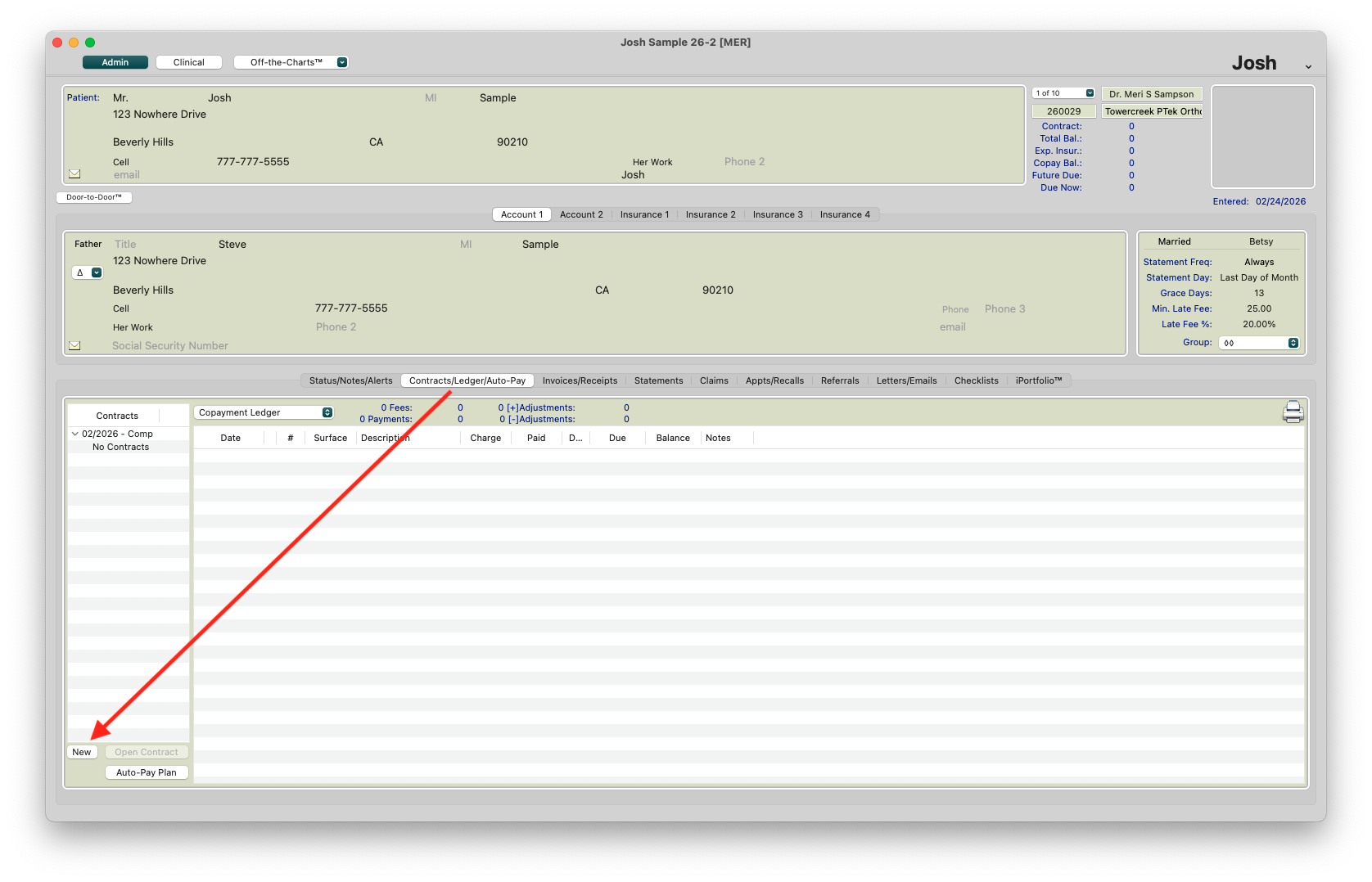
- Click on Account 1
- Click Contracts/Ledgers
- Click the New button to open the contract worksheet.
-
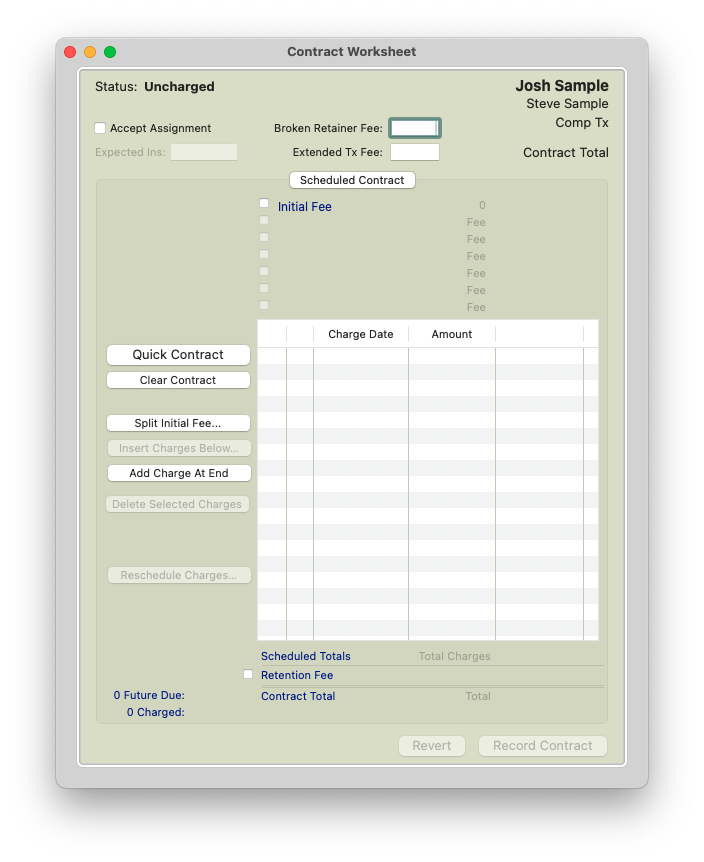
The Contract Worksheet displays
-
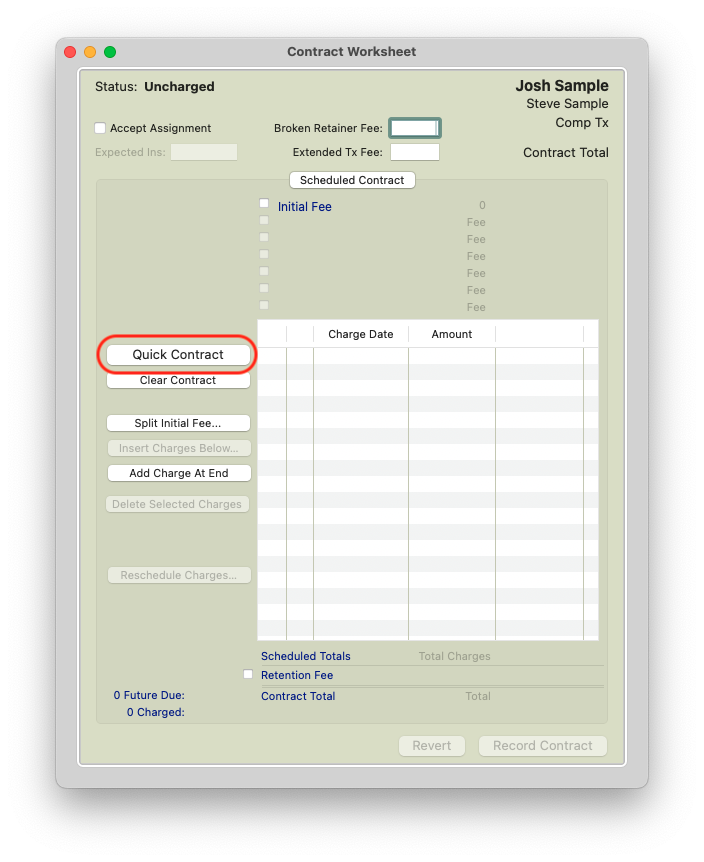
Click the Quick Contract button. The Quick Contract displays.

- Complete the fields:
- Total Contract: Calculated Contract Total for Account 1.
- Initial Fee: Calculated fee for Account 1. This is their individual down payment plus their portion of any courtesies
- Charges are Made: The frequency of the contract charges.
- Monthly Charge: How much you will charge the patient per month. You can enter an amount and Tops Ortho will auto-calculate the number of charges.
- Other Charges: Not used at this time.
- First Charge Date: Tops Ortho calculates this date based on the date that the Quick Contract is created. If the next month is more than three weeks away, the first payment will be scheduled for the that month. If the next month is less than three weeks away, Tops Ortho will schedule the first payment for the following month.
- Click OK.
- Verify all numbers are accurate.
*Follow the steps and screenshots for Create a Contract Without Insurance if needed.
Creating the Account 2 Contract
- Click on Account 1
- Click Contracts/Ledgers
- Click the New button to open the contract worksheet.

- Click the Quick Contract button. The Quick Contract displays. Follow the same steps for Account 2 as you did for Account 1.
Example Split Contract Without Insurance Scenario:
Estimated Treatment Length: 12-18 months
Contract Total: $6000.00
Downpayment: $1500
- Dad Downpayment : $500.00; Monthly payments - $300/mo
- Mom Downpayment: $1000; Monthly payments - $200/mo
Courtesy/Family Discount : $400.00
Patient Remaining Balance: $4300.00
Split: 50% dad; 50% mom

- After creating the Quick Contracts for Account 1 and Account 2, click Ok for each.
- Review the Contract Worksheet and click Record Contract for each.

Before initiating the contract, review the following
- Each contract reflects the correct contract total according to the responsible party's split amount.
- Each contract has the correct initial fee, representing the account holders down payment plus a % of the courtesy amount, if applicable.
- The monthly charges and dates, per account holder, reflect the monthly fee in their financial agreement.
- Finally, make sure that combination of Account 1 and Account 2 contracts equals the full contract total.
