
Text Templated Messages to a Patient or a Patient Group
Become more efficient and have templates ready to go when you need to send a quick text message. Whether to a single patient or to a larger group, templated messages are a time saver!
Create the template
- Go to Comm > Tops Reminders.
-
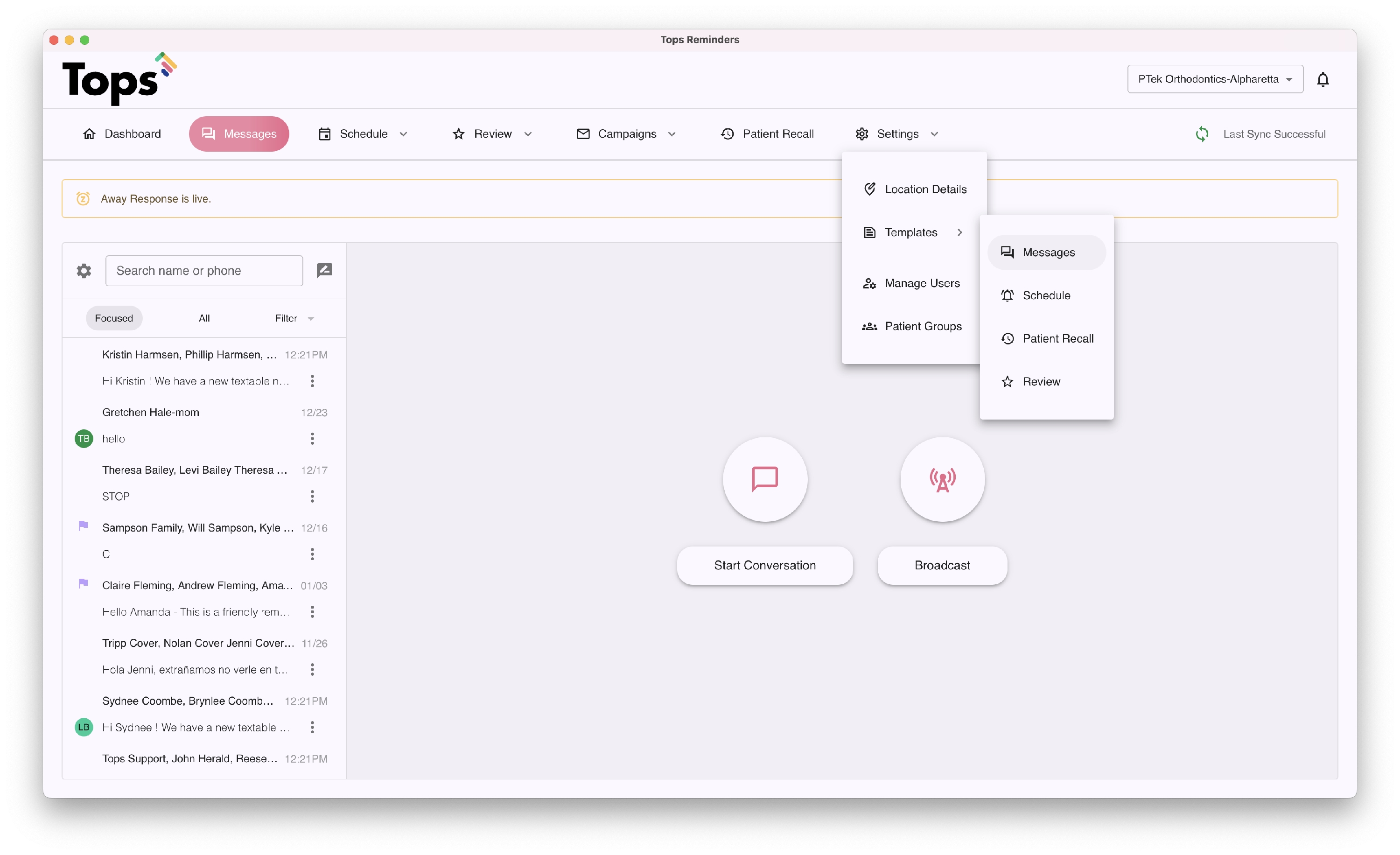
Go to Settings > Templates > Messages.
-
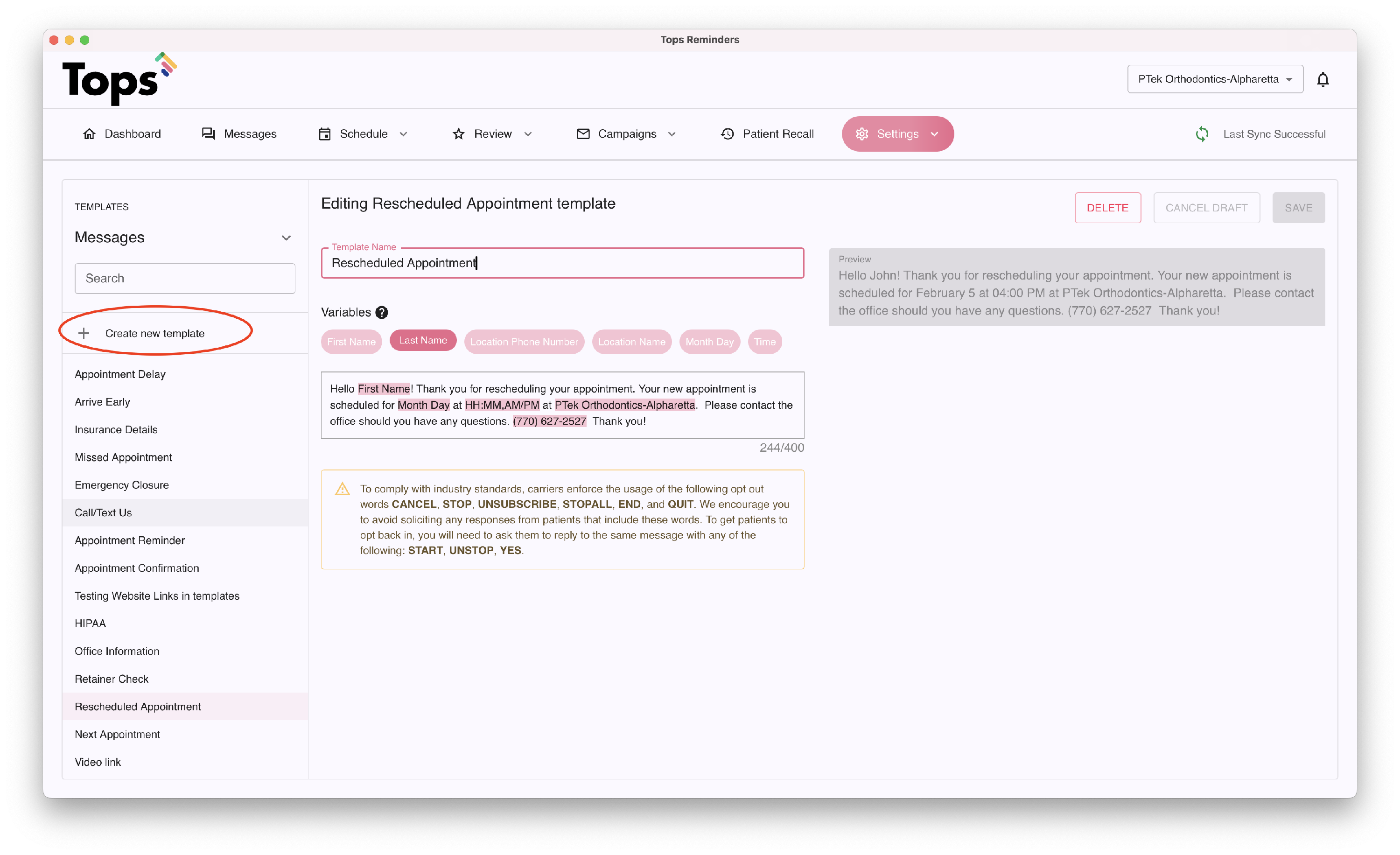
Available templates will show as a list; you may edit existing templates or click Create new template to create a new one. Give your template a descriptive name and enter the message. Add or remove variables to personalize the message. Click Save when you are done.
Sending to an individual recipient
- From the Messages tab (or Product>Message) Search for the individual, click the New Message bubble or click Start a Conversation. You will have the option to add a new contact as well.


- In the message composition window, click the the hamburger icon to initiate the available template options.

-
Select the desired template.

-
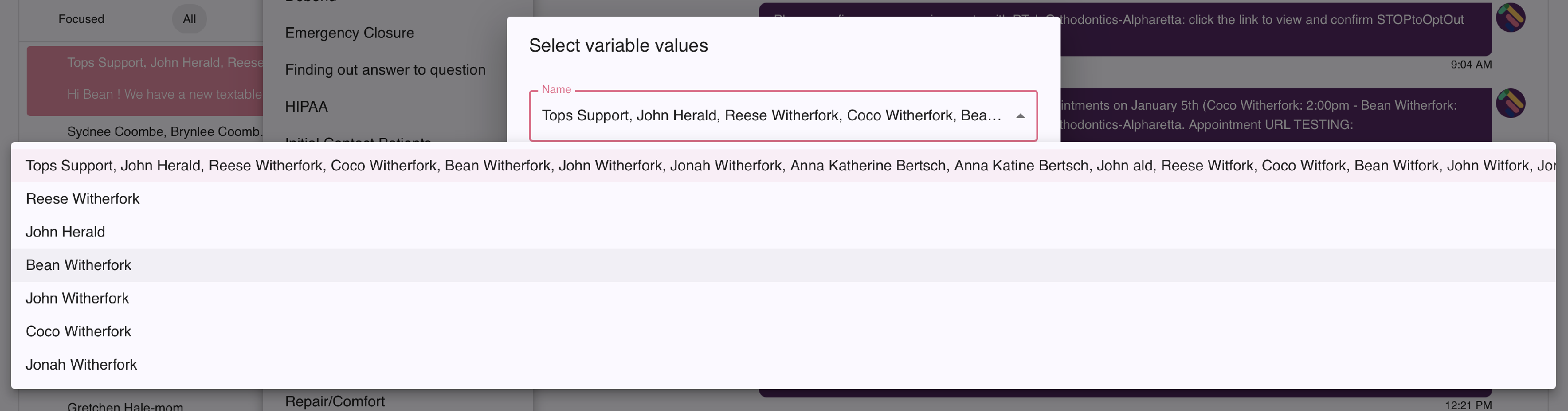
If variables exist that require customization, enter or select the details.

-
Review the message, edit if needed, and click the Send button.

Sending to more than one recipient
If sending a text message to more than one recipient, it will be in the form of a broadcast text.
- If you have already created Patient Groups, proceed to the next step. If you have not, read the related article below, Create Patient Groups.
- From the Dashboard, click the Messages tab (or select Products > Messages)
-
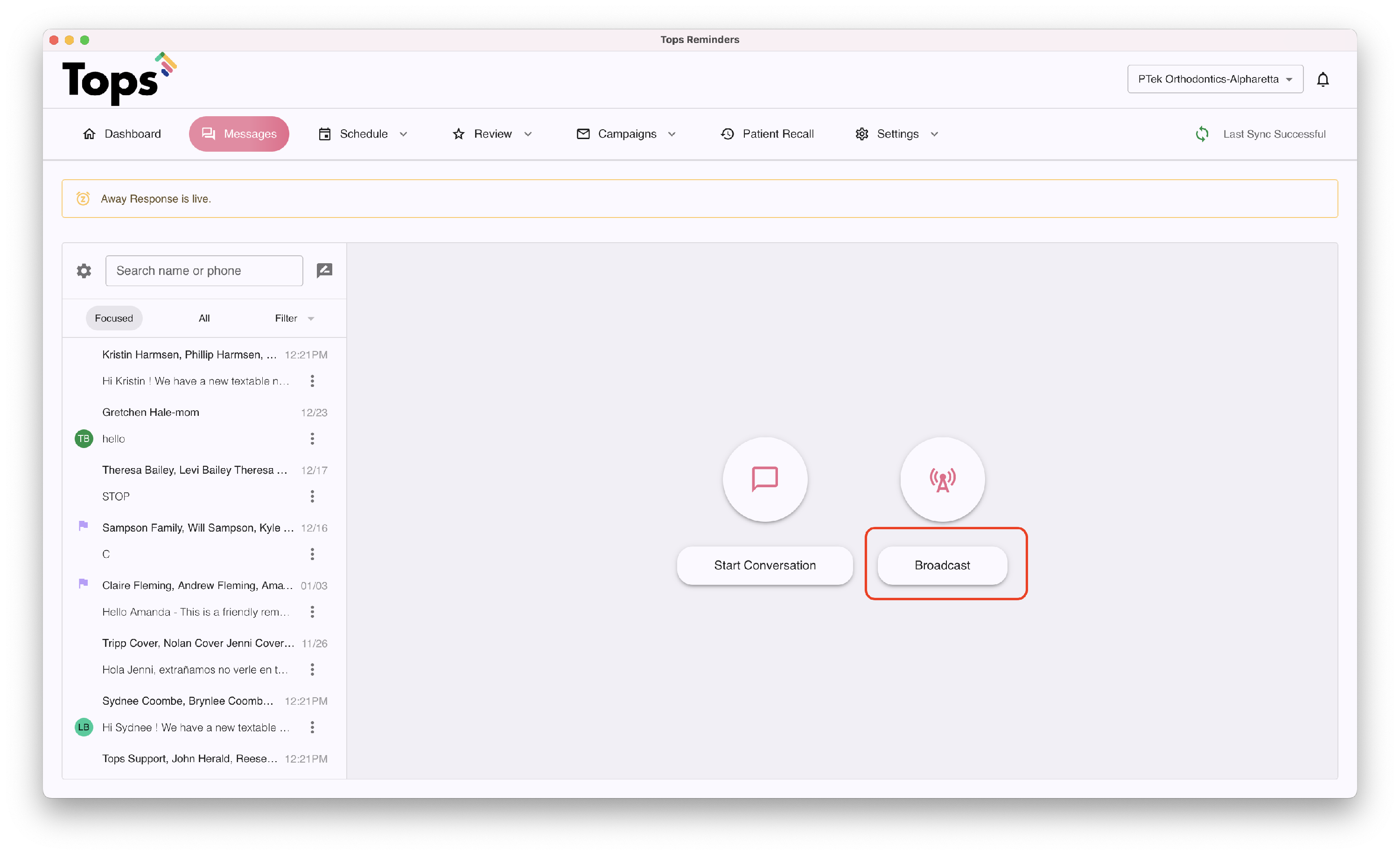
Click Broadcast
- Select the From schedule option. (For more details on additional Broadcast Text From options, visit the page Create a Tops Broadcast referenced at the bottom of this page)
-
Enter your desired date range. Note: You can select up to 60 days in the past and 30 days in the future.
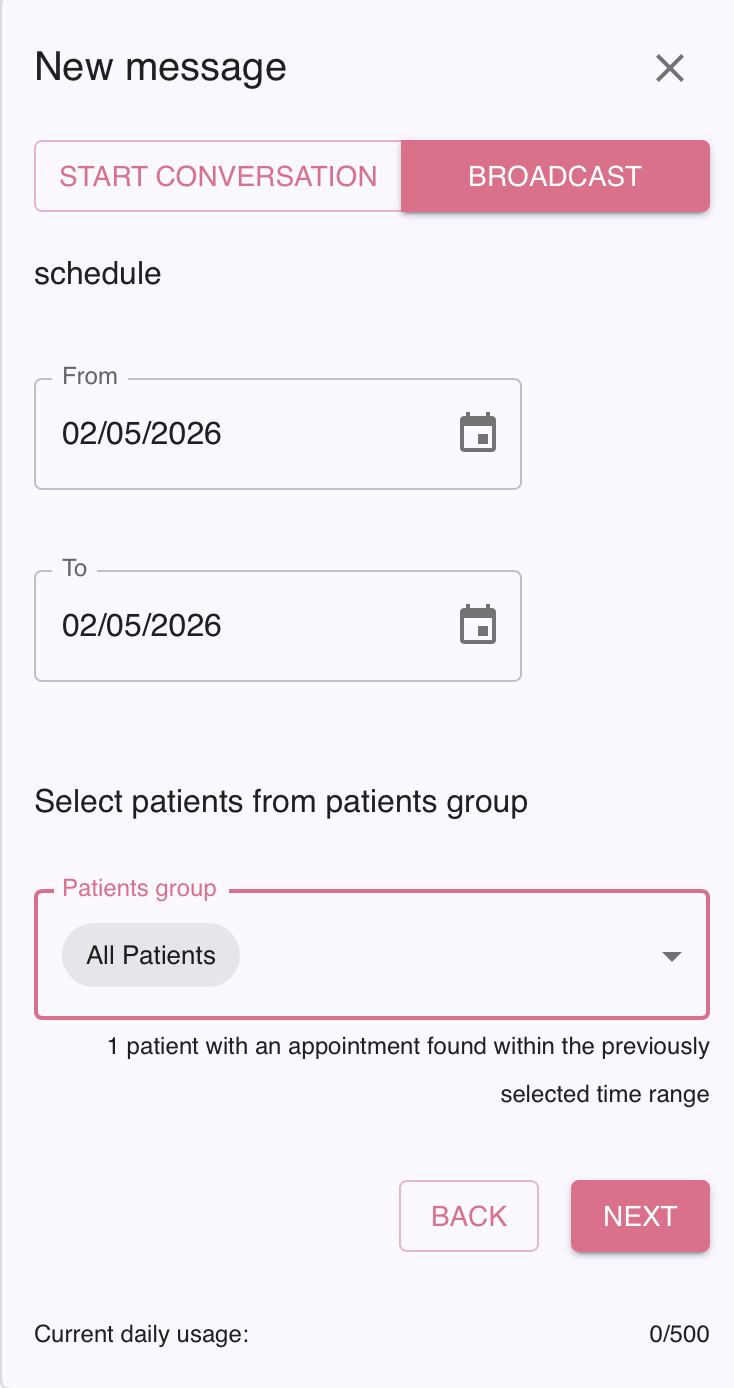
- In the All Patients dropdown, select the Patient Group(s) you wish to target. You may select up to five Patient Groups to receive the message.
- Click Next.

-
In the next window, select the template you wish to use. Click Next.


- The next window provides a preview of your broadcast message AND gives you a chance to un-check any contacts whom you do not wish to receive the message. When you are done, click Submit. A maxiumum of 500 broadcast texts can be sent in a given day.
- You will see a confirmation that the message sent. Patients receive an individual text and will not see any other patients addressed.That's it!
