
Moving a Balance from Due Now to Future Due
There may be times when a patient has an outstanding Due Now balance and agrees to pay it over time. If the patient’s contract is still active, you can use Reschedule Charges (see the related article at the bottom of this page) to move the equivalent of the Due Now balance back into Future Due.
However, if the contract has already been deactivated, your options are more limited. The patient can continue making payments toward the Due Now balance, or, if you prefer to give the patient a clean financial starting point rather than leaving the balance in Due Now—where it may become eligible for late fees—you can move the balance to a new contract with a new payment arrangement.
Don’t let the production impact concern you. Although creating the new contract will generate new production, you’ll also post an equal negative adjustment as part of this process. The result is a net production change of $0. Just be sure to document the reason for the adjustment so your Financial Coordinator has a clear audit trail.
Use this process when:
- A patient’s contract has already been deactivated.
- The patient has a Due Now balance they cannot pay in full.
- You want to establish a new payment arrangement and prevent the Due Now balance from accumulating late fees.
Step 1: Create a Duplicate Treatment Plan
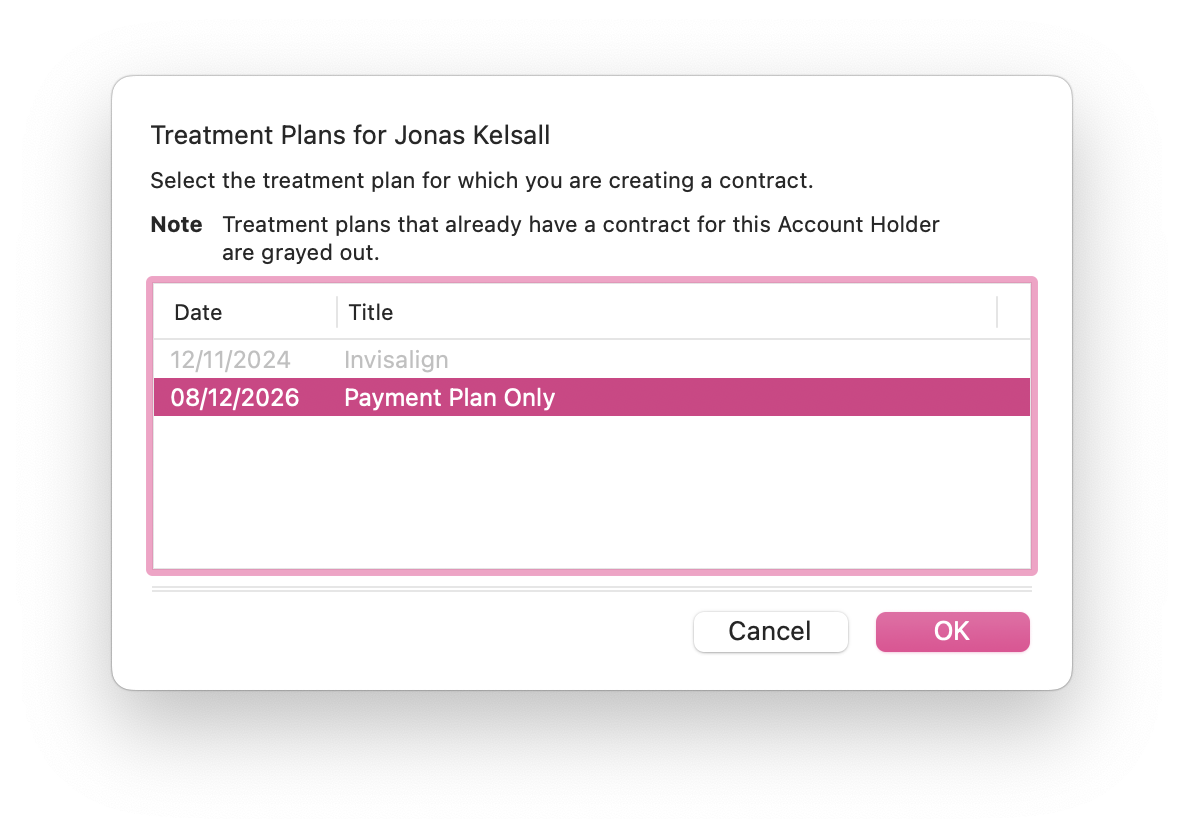
Because each treatment plan can only be associated with one contract, you’ll need to create a new treatment plan (within the same phase) to attach a new contract for the unpaid balance.
- Open the patient’s Clinical tab.
- Create a new Treatment Plan within the same treatment phase.
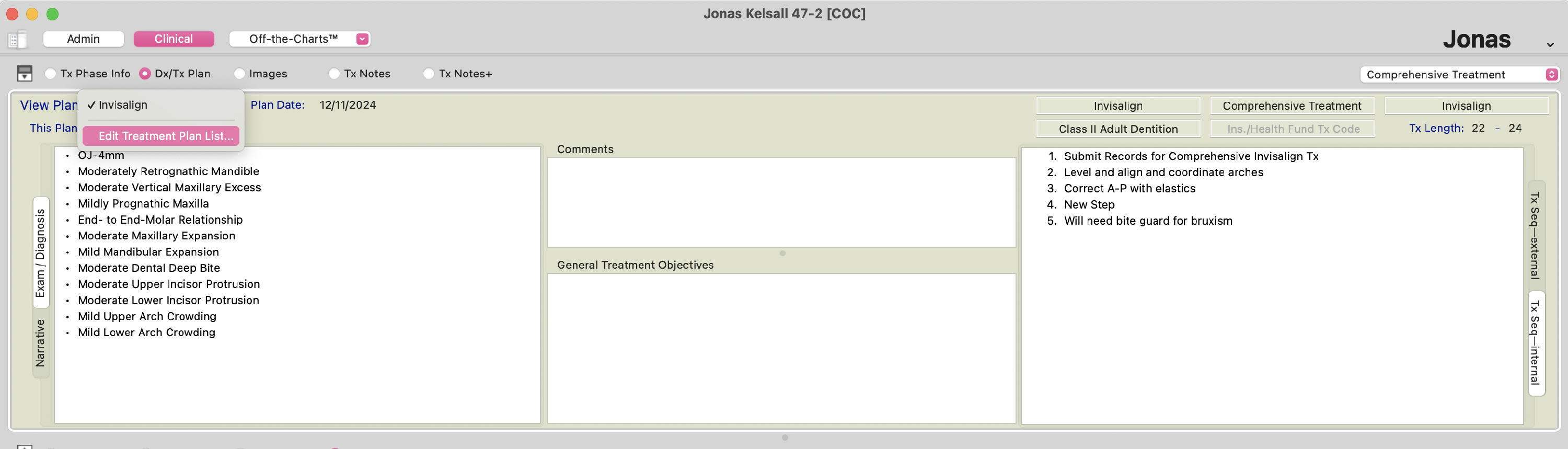
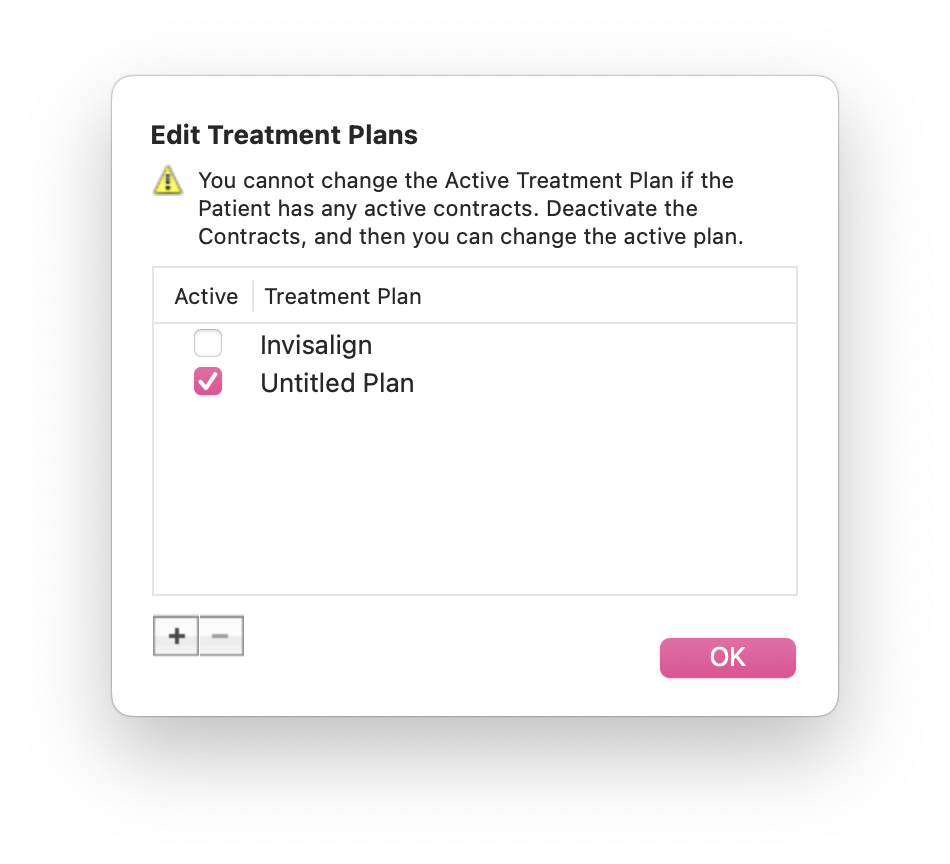
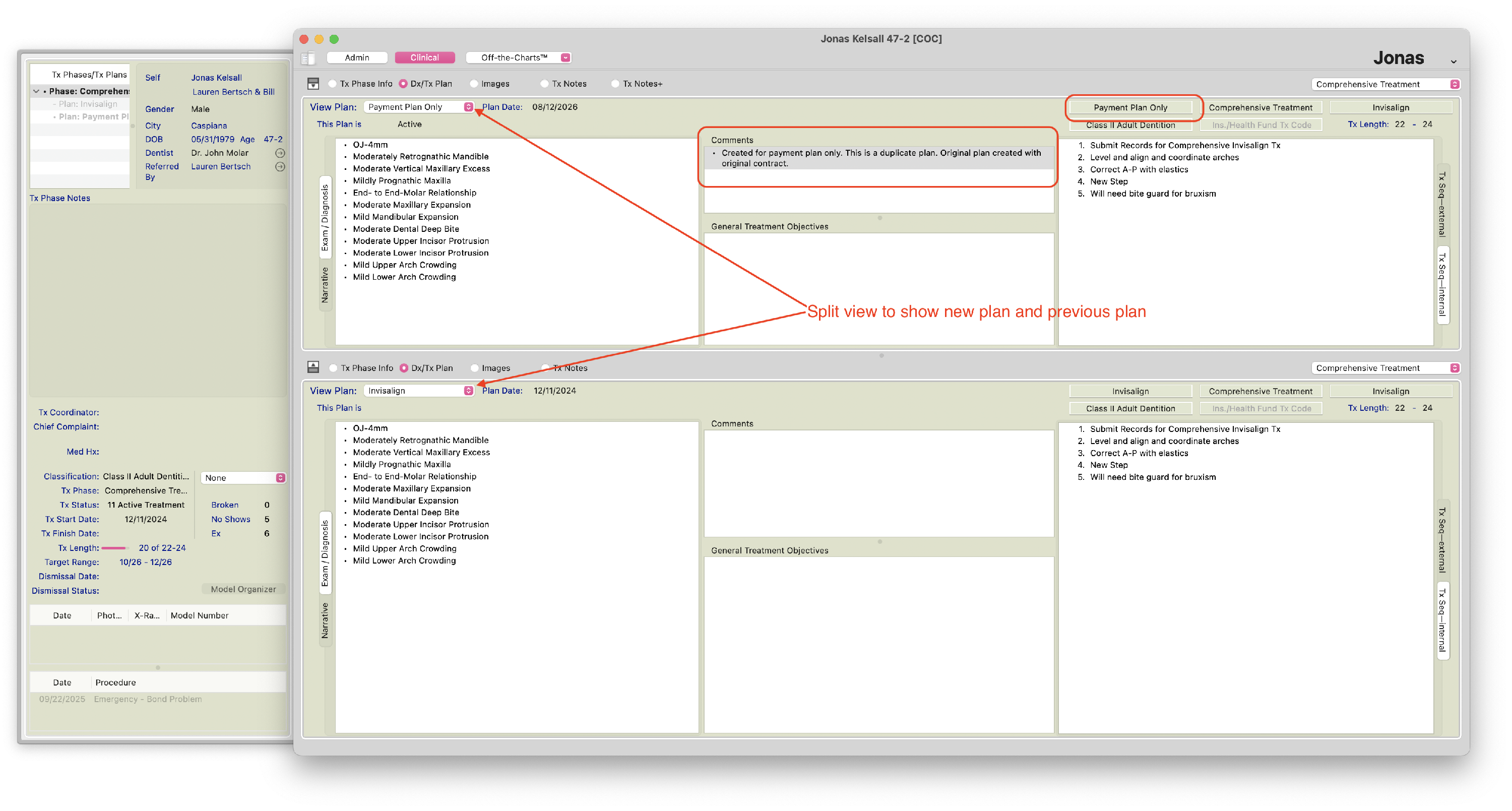
- Duplicate the treatment details from the existing plan.
- Rename the new treatment plan to clearly indicate its purpose (for example, “Payment Plan Balance” or “Due Now Balance”).
Step 2: Remove the Due Now Balance
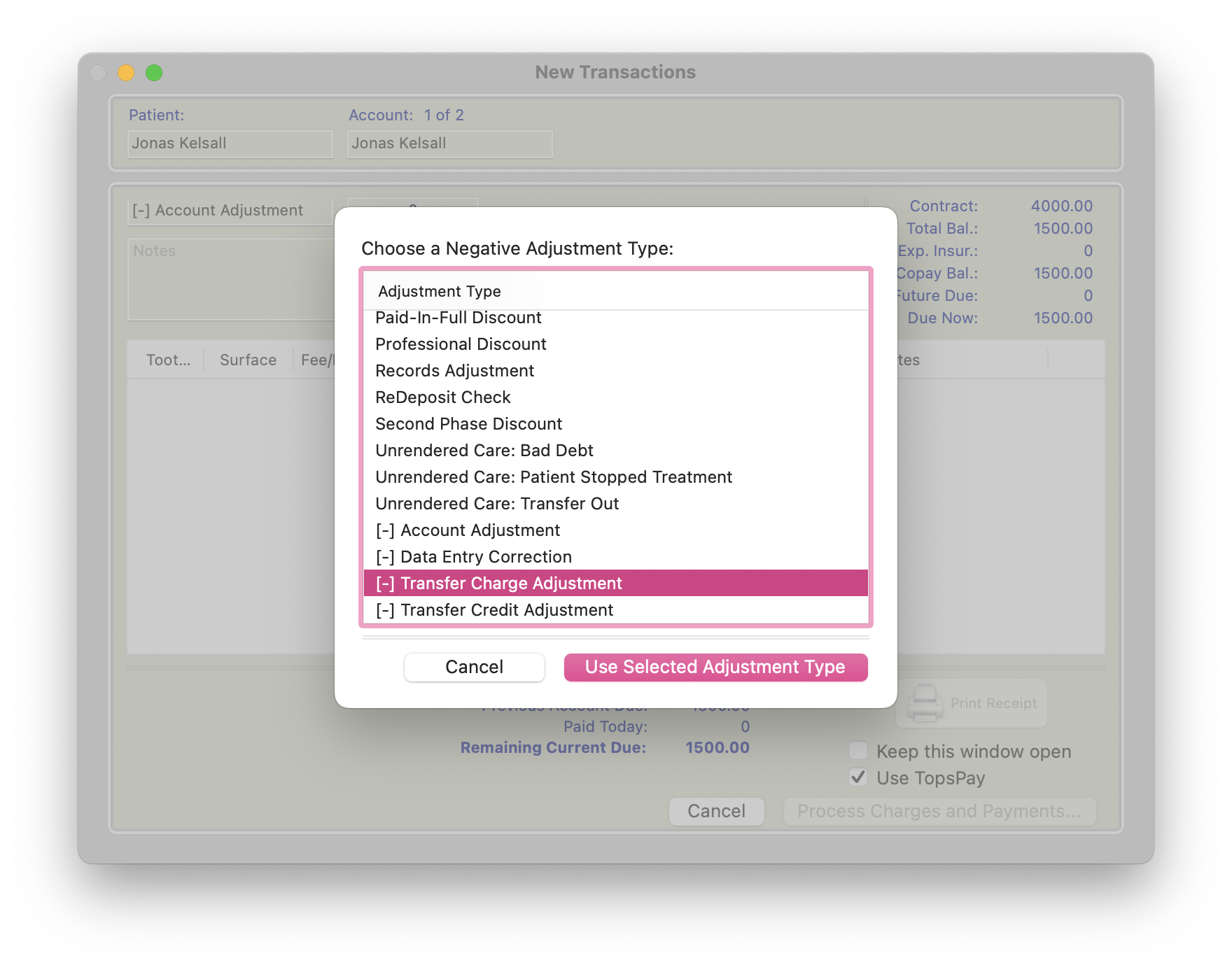
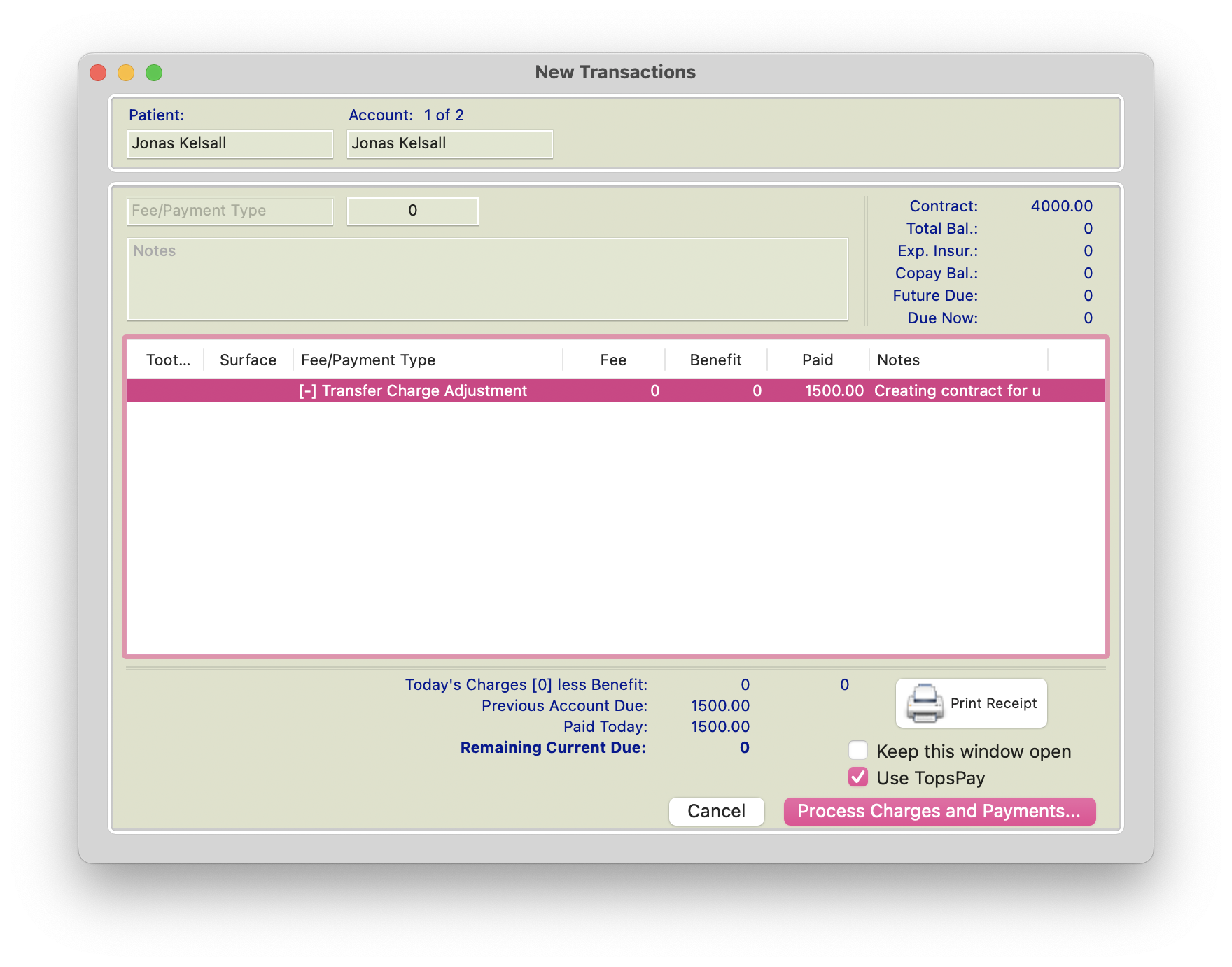
- Post a (-) negative Account Adjustment for the full Due Now balance.
- Add detailed ledger notes explaining that the adjustment is being made to transfer the balance to a new payment contract. Reference the new treatment plan and contract so there is a clear audit trail linking the adjustment to the new payment arrangement.
|
|
|
Step 3: Create a New Contract
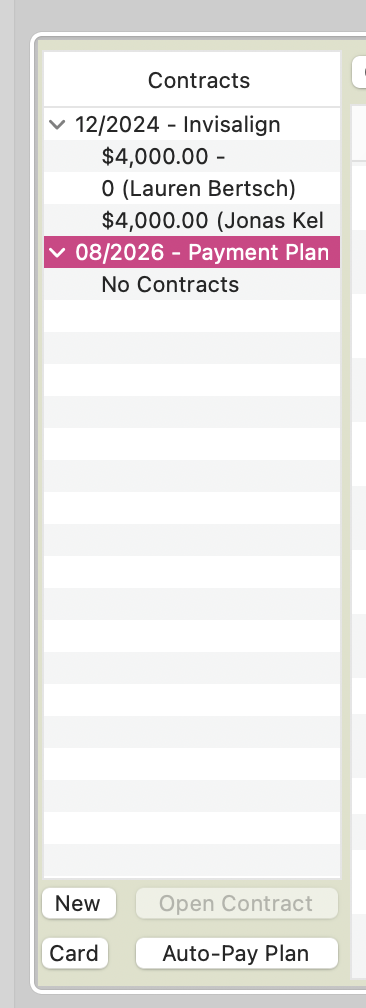
- Create a new contract using the new treatment plan.
|
|
|
- Enter the adjusted balance as the contract amount.
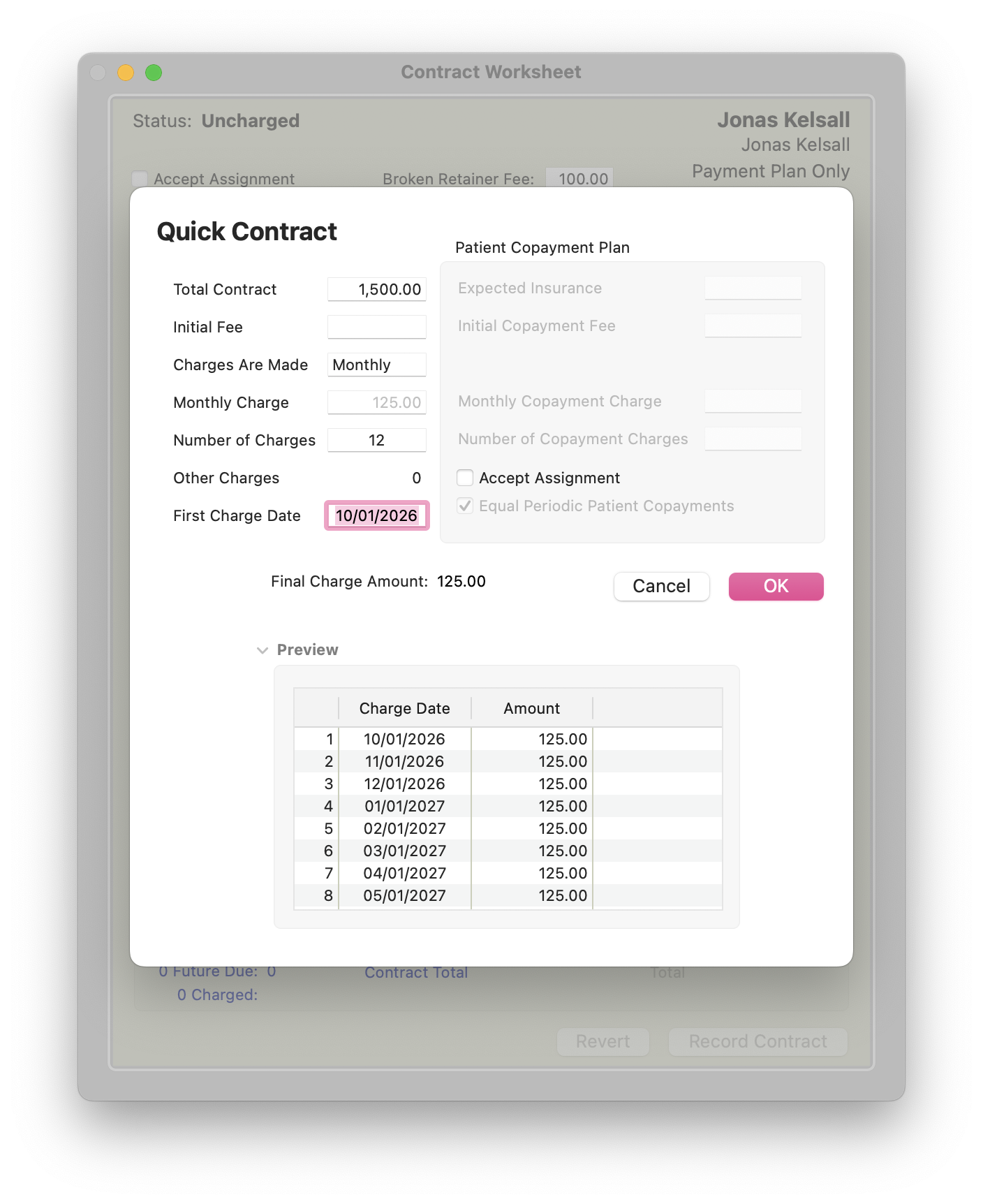
- Activate the contract (Command-T>Initial Fee), even if the initial fee is $0.
- Document the agreed-upon payment arrangement as a ledger note.
The patient’s unpaid balance is now managed through a new contract rather than remaining in Due Now, helping prevent late fees while maintaining a complete audit trail of the adjustment and payment arrangement.